Hostinger Review 2026: Pricing, Performance, and Is It Worth It?
If you’re looking for affordable hosting in 2026, Hostinger is probably already on your radar. It’s consistently positioned as a budget-friendly provider — but low pricing only matters if performance and reliability hold up.
In this review, I’ll walk through what Hostinger actually offers, how it performs, what stands out, and where the trade-offs are. The goal here is simple: help you decide if it fits your project.
What Hostinger Does
Hostinger is a web hosting provider offering:
- Shared hosting
- WordPress hosting
- Cloud hosting
- VPS hosting
- A built-in AI website builder
Every hosting plan includes access to their proprietary control panel, hPanel, instead of traditional cPanel. Plans also include essentials like:
- Free SSL certificates
- Email hosting
- One-click WordPress installation
- Access to the Hostinger website builder
For most beginners, the Premium plan covers multiple websites. For small businesses or ecommerce sites, the Business plan adds daily backups, extra performance resources, and AI tools.
How Hostinger Works
Hostinger’s setup process is streamlined. After purchase, you’re guided through:
- Choosing a domain
- Installing WordPress or launching the website builder
- Managing everything through hPanel
The hPanel Experience
Instead of cPanel, Hostinger uses hPanel, its custom dashboard. It’s cleaner than traditional hosting panels and easier for first-time users to navigate.
Inside hPanel, you can:
- Manage domains
- Install apps
- Set up email accounts
- Monitor traffic
- Access backups
- Create staging environments for WordPress
There can be occasional minor interface changes because Hostinger updates hPanel frequently, but overall it remains intuitive.
Pricing and Plans Explained
One of Hostinger’s biggest selling points is price consistency.
Shared Hosting Plans
- Premium Plan – Best for beginners and small sites
- Business Plan – Adds daily backups and higher performance
- Cloud and VPS options available for scaling
Compared to providers like SiteGround and DreamHost, Hostinger typically:
- Has lower entry pricing
- Offers similar core features
- Includes the website builder at no extra cost
There are no surprise add-on fees during checkout for essentials like SSL or basic backups. That transparency is rare in budget hosting.
That said, renewal pricing is higher than introductory rates — which is standard across the hosting industry.
Performance and Speed
Cheap hosting is meaningless if your site loads slowly.
Hostinger uses:
- NVMe SSD storage
- LiteSpeed web servers
- Built-in caching
- Global data centers
In most tests, sites load under Google’s recommended 2.5-second threshold. For shared hosting, that’s strong performance.
Uptime typically hovers around 99.9%+, with occasional short downtime windows. In moderate stress testing, Hostinger handles dozens of concurrent users reasonably well for a shared plan.
For high-traffic ecommerce or enterprise sites, cloud hosting or VPS would be more appropriate — but for small to medium projects, performance is solid.
Ease of Use and Website Builder
Every plan includes the Hostinger Website Builder.
This gives you two options:
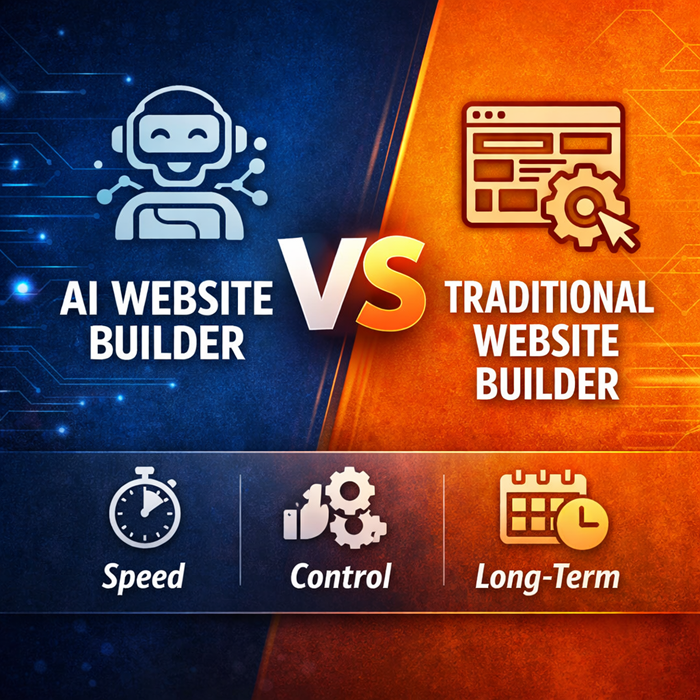
- Use WordPress
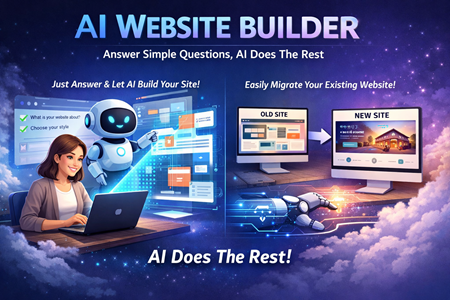
- Use the drag-and-drop AI website builder
The builder allows you to:
- Generate a site from a prompt
- Choose from templates
- Customize via drag-and-drop
- Use AI tools for content, images, and SEO
It’s especially useful for:
- Freelancers
- Small businesses
- Portfolio sites
- Landing pages
The AI builder is helpful for creating a starting point quickly, but it still requires editing and customization to look polished.
Security Features
Security is included at the hosting level.
Hostinger provides:
- Free SSL certificates
- DDoS protection
- Malware scanning
- Automatic backups (on higher plans)
For WordPress users, additional plugins like Wordfence can add another layer of protection.
For ecommerce sites, payment processing integrations meet standard security requirements.
No hosting is “set it and forget it,” but Hostinger covers the fundamentals well.
What Stands Out
- Strong performance for the price
- Clean, beginner-friendly dashboard
- Free website builder included
- Transparent feature packaging
- Good balance between cost and capability
Where It’s Limited
- Entry-level plans are still shared hosting (not ideal for heavy traffic)
- Some advanced developer features are limited compared to premium providers
- AI builder still requires manual refinement
- Renewal rates increase after intro term
Who Hostinger Is Best For
- First-time website owners
- Bloggers
- Freelancers
- Small business websites
- Portfolio sites
- Side projects
It’s particularly good if you want both WordPress flexibility and an easy drag-and-drop builder in the same account.
Who It’s Not Ideal For
- High-traffic ecommerce stores
- Large SaaS applications
- Enterprise-level infrastructure
- Developers needing very specific server configurations
For those cases, higher-tier cloud hosting or VPS solutions are better suited.
Is Hostinger Worth It in 2026?
If you’re launching a new website and want affordable hosting that performs reliably, Hostinger is difficult to ignore.
It delivers:
- Competitive speed
- Strong uptime
- Simple management
- Useful AI tools
- A built-in website builder
It’s not the most advanced host on the market, but it doesn’t try to be. It focuses on accessibility, value, and ease of use — and does that well.
For most small to medium websites, the value-to-performance ratio makes sense.