Hostinger Website Builder Review 2026: 2025 Updates, Speed, and What’s Missing
Hostinger Website Builder has evolved quickly over the past year. New AI tools, performance upgrades, and usability refinements have shifted it from a simple no-code tool into a more integrated website-building platform. The question for 2026 isn’t whether it works — it’s whether it fits your specific needs.
Here’s what stands out.
What This Tool Does
Hostinger Website Builder is an all-in-one no-code platform designed to help users launch a website without managing plugins, themes, or complex hosting configurations. It focuses on speed and simplicity while layering in AI-assisted tools for content and design.
At a high level, it allows you to:
- Generate a full website layout using AI prompts
- Customize sections through a drag-and-drop editor
- Manage hosting and performance from a single dashboard
- Run a small-to-mid-sized online store
- Transition to WordPress later if more control is needed
The positioning is clear: make professional websites accessible without technical overhead.
How It Works
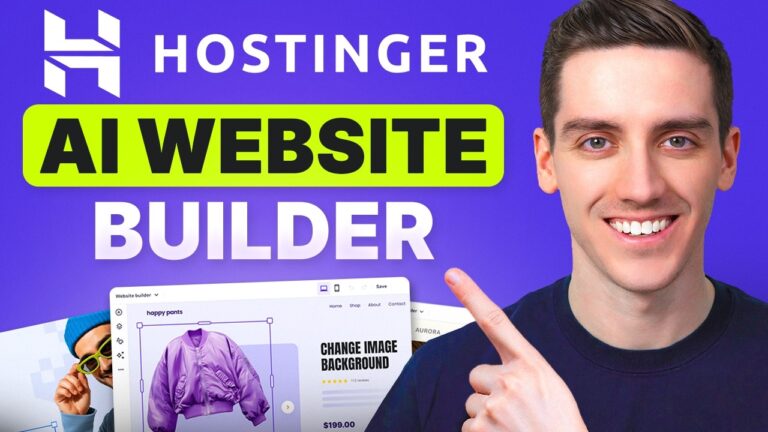
AI Website Builder
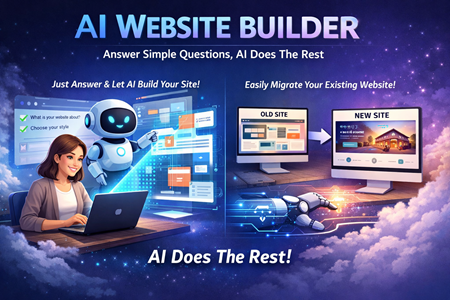
The AI builder generates a complete starting layout from a short description. You provide basic direction about your business and preferred style, and the system builds:
- Page structure
- Design layout
- Images
- Written content
The speed of generation and improved prompt interpretation are noticeable refinements. Instead of spending time designing from scratch, you begin with a usable framework and refine from there.
For users who dislike starting from a blank page, this is the main draw.
You’re not limited to AI, though. There’s also a library of 150+ templates. Templates offer polished designs immediately, while AI provides more customized starting points. You can even combine both approaches.
Drag-and-Drop Editor
After generation, everything moves into a visual editor.
The editor is intentionally streamlined. Instead of overwhelming users with hundreds of widgets, it focuses on a smaller set of core elements:
- Text
- Images
- Buttons
- Galleries
- Forms
- Maps
- Videos
This minimal approach makes it beginner-friendly. You can:
- Move sections
- Adjust spacing
- Edit text inline
- Undo mistakes
- Restore backups
For most small business websites, this covers what’s needed without unnecessary complexity.
Performance Improvements
Performance has been a noticeable focus.
Editing responsiveness feels smoother, and the hosting dashboard (hPanel) operates with fewer slowdowns than in earlier versions. Infrastructure upgrades also improve page load performance.
One standout feature is the monthly “Boost” option on shared hosting plans. Once per month, you can double server resources for 24 hours at no additional cost. This can be useful during traffic spikes, product launches, or promotional campaigns.
For WordPress users, Hostinger includes free caching plugins and server-level optimizations, which add value if you move beyond the built-in builder.
Pricing and Plan Structure
There are two primary plans:
Premium Plan
- Best for one non-ecommerce website
- Includes domain for the first year, SSL, and essential builder access
Business Plan
- Adds ecommerce functionality
- Unlocks the full AI toolkit
- Allows multiple websites (up to 50)
- No extra transaction fees on online sales
The Business plan is often positioned as stronger long-term value, especially if you run more than one project.
Longer subscription terms lower the effective monthly cost. Renewal rates increase after the initial term, which is standard in the hosting industry.
Key AI Tools Included (Business Plan)
Hostinger integrates several AI-powered tools directly into the builder:
- AI Writer (page sections and content drafts)
- AI Blog Generator
- AI SEO Assistant
- AI Image Generator
- AI Logo Maker
- AI Product Description Generator
- Kodee (AI chatbot assistant)
The convenience factor here is significant. Instead of assembling separate tools and plugins, everything is built in.
Kodee, the internal AI chatbot, improves support speed by answering most platform-related questions directly inside the dashboard.
E-Commerce Capabilities
Hostinger has expanded its ecommerce features. You can:
- Add up to 1,000 products
- Manage categories and orders
- Set up shipping rules
- Connect payment gateways
- Run discounts
- Send built-in email marketing campaigns
For small and medium stores, this is more than sufficient.
However, it is not designed for enterprise-scale operations. Complex inventory systems, advanced automation, or multi-warehouse logistics will likely require a specialized ecommerce platform.
Who This Tool Is Best For
- Beginners launching their first website
- Small businesses and local service providers
- Creators managing multiple small projects
- Entrepreneurs testing new ideas
- Anyone wanting AI assistance without WordPress maintenance
If your goal is speed and simplicity, it performs well.
Who This Tool Is Not Ideal For
- Advanced developers needing full customization
- Large-scale ecommerce businesses
- Heavy bloggers requiring advanced editorial workflows
- Projects dependent on deep third-party integrations
- Users who want a free plan before committing
The builder focuses on accessibility, not infinite flexibility.