AI Website Builder Guide: How It Works and What to Look For
Introduction
Over the last few years, the term “AI website builder” has been used to describe everything from simple AI copy assistants to fully automated site generators. That makes it harder than it should be to evaluate what these platforms actually do.
Some tools generate an entire site after you answer a few questions. Others simply layer AI writing tools on top of a traditional drag-and-drop editor. The difference matters, especially if you’re trying to decide whether this technology saves real time or just shifts the workload.
In this guide, I’m breaking down how AI website builders actually work, where automation stops, and what you should realistically expect before choosing one. The goal isn’t to sell you on the concept. It’s to help you decide whether it fits your stage of business.
What Is an AI Website Builder?
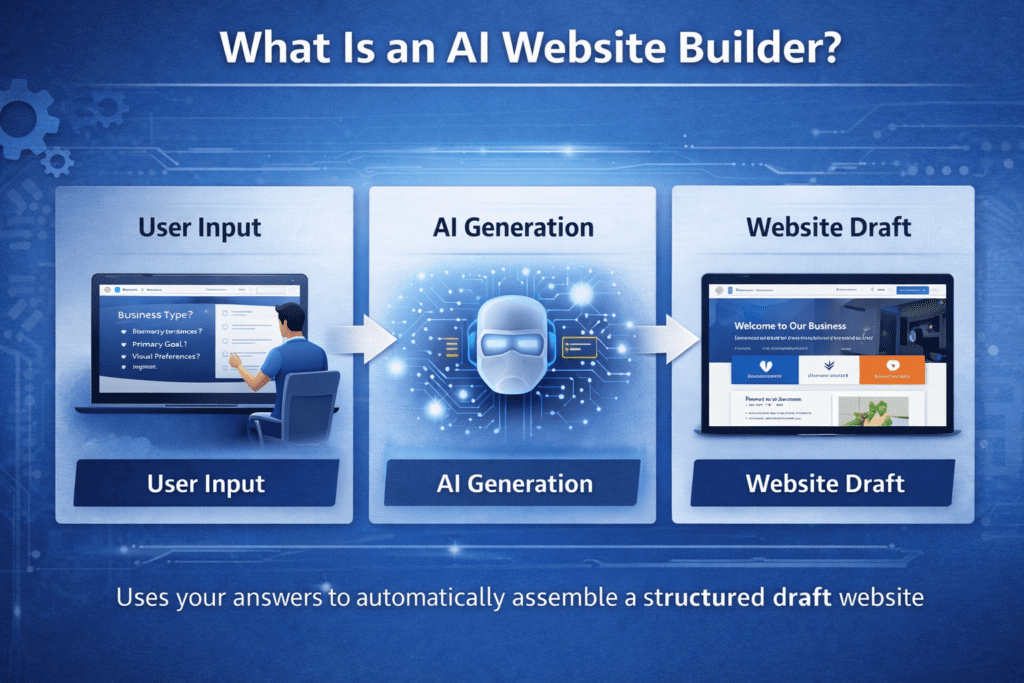
An AI website builder is a platform that uses artificial intelligence to generate website structure, layout, and in many cases written content based on user input. Instead of starting with a blank canvas or selecting a template manually, you answer guided questions and the system assembles a working site draft for you.
Most AI website builders operate on a spectrum. On one end, you have AI-assisted builders, where AI helps generate content blocks or design suggestions inside a traditional editor. On the other end, you have AI-generated platforms that attempt to build an entire multi-page site automatically from a short business description. If you’re unsure how these differ from traditional drag-and-drop builders, I’ve outlined the workflow differences in a detailed AI Website Builder vs Traditional Website Builders comparison.
The key distinction is this: traditional builders give you tools. AI website builders attempt to make decisions for you using patterns learned from thousands of common website structures.
Typically, these systems ask for:
- Your business type and industry so the layout can follow common structural patterns used in that niche.
- Your primary goal, such as collecting leads, selling products, or showcasing a portfolio, which influences page hierarchy.
- A short business description that the AI uses to generate initial headline copy and service explanations.
- Visual preferences like color palette or tone to determine basic styling direction.
The output is not custom design in the traditional sense. It’s structured automation built on predefined layout frameworks. The intelligence lies in how efficiently those frameworks are assembled, not in artistic originality.
Compared to manually building a WordPress site or designing from scratch, an AI website builder reduces the friction of starting. If you’re specifically comparing these two approaches, I’ve broken down the differences in a full AI Website Builder vs WordPress comparison.What it does not eliminate is the need for review, editing, and refinement. In my experience, the first draft is usually usable — but rarely final.
How AI Website Builders Work
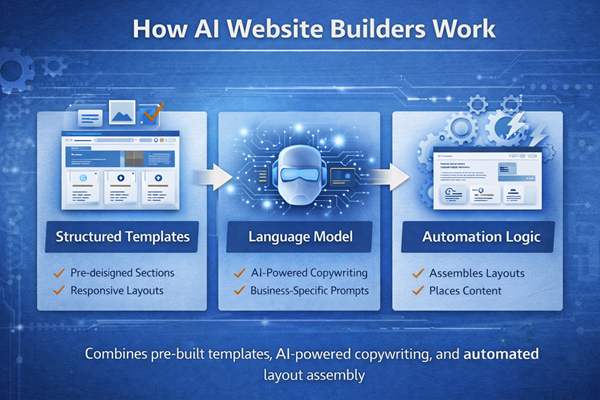
Most AI website builders combine three core systems: structured templates, language models, and automation logic. The AI is not designing freely from scratch. It is selecting and assembling from predefined frameworks based on how you answer onboarding questions.
Understanding this matters because it clarifies what is genuinely automated and what is simply accelerated.
AI Content Generation
When you enter your business name and description, the platform translates that input into structured prompts behind the scenes. You are not directly interacting with a raw AI model. The system wraps your answers inside a predefined instruction format.
For example, if you describe yourself as a “local landscaping company specializing in residential yard transformations,” the system may automatically:
- Generate a headline emphasizing reliability and transformation.
- Create three service blocks such as lawn design, maintenance, and hardscaping.
- Produce short trust-building paragraphs using common small-business website language patterns.
The strength of this system is speed. The weakness is similarity. Because these tools rely on pattern-based outputs, many generated sites within the same industry can sound structurally alike.
That does not make them unusable. It simply means you should expect to revise tone and specificity.
Layout Prediction and Page Structure
AI website builders do not invent layout structures. They select from tested frameworks.
If you choose “restaurant,” the system likely builds:
- Hero section with background image
- Menu preview section
- About section
- Reservation or contact form
- Location map
If you choose “consulting business,” it may build:
- Value proposition headline
- Services grid
- Social proof section
- Call-to-action block
- Contact form
These decisions are based on common conversion structures rather than creative interpretation. The automation reduces blank-page paralysis. It does not eliminate structural conventions.
Behind the scenes, most builders use:
- Pre-designed component libraries
- Responsive layout rules optimized for mobile
- Industry-based structural templates
- Conditional logic that assembles sections in common sequences
What feels like “design intelligence” is often well-optimized pattern assembly.
Automation vs Human Control
One of the biggest misconceptions about AI website builders is that they replace strategic thinking. They do not.
What is automated:
- Initial page hierarchy
- Placeholder content
- Basic navigation setup
- Image placement
- Mobile responsiveness
- Default SEO structure
What still requires human involvement:
- Refining messaging to reflect your actual positioning
- Adjusting offers and pricing clarity
- Ensuring legal and compliance content is accurate
- Optimizing calls to action
- Editing for differentiation
In my testing, AI builders typically get you 60–80% of the way to a publishable site. The remaining percentage is where business judgment comes in.
This is the real dividing line. If you expect AI to create strategic clarity, you will be disappointed. If you expect it to remove setup friction and give you a structured starting point, it can be very effective.
Why People Use AI Website Builders
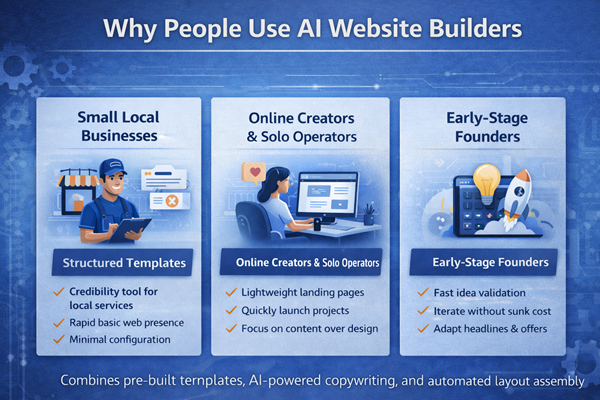
Most people don’t adopt AI website builders because they’re fascinated by artificial intelligence. They adopt them because they want to get online quickly without getting stuck in technical setup.
The appeal is not innovation. It’s reduction of friction.
When I look at real-world usage patterns, the motivation usually falls into one of three categories: speed, cost control, and simplicity.
Small Local Businesses
For many local businesses, the website is not a product. It’s a credibility tool.
A local contractor, cleaning company, or HVAC provider typically needs:
- A clear description of services so potential customers immediately understand what is offered.
- A visible phone number and contact form placed prominently above the fold.
- A location section or service area description to support local search visibility.
- Basic trust elements like testimonials or review excerpts.
They do not need complex content management systems or heavy customization. What they need is clarity and presence.
An AI website builder helps these businesses move from “we need a website” to “we have something live” in a short timeframe. That shift alone can remove weeks of delay that often happen when small businesses overthink the design stage. I’ve also evaluated which platforms work best specifically for small service businesses in a separate Best AI Website Builder for Small Business guide.
Online Creators and Solo Operators
Creators often prioritize momentum over perfection.
If someone is launching:
- An ebook giveaway page
- A personal brand website
- A coaching offer
- A portfolio
- A simple landing page tied to a social media profile
They benefit from tools that reduce the setup burden. Many creators would rather spend time producing content or building an audience than adjusting margins and layout grids.
AI website builders support that workflow by generating:
- A clean homepage with a clear value statement.
- Structured sections for offers or products.
- A simple email capture form.
- A mobile-optimized layout without manual tweaking.
In this scenario, the goal is not design awards. The goal is publishing quickly and refining later. For freelancers and independent consultants, I’ve broken down which platforms offer the best balance of speed and portfolio clarity in a dedicated Best AI Website Builder for Freelancers comparison.
Early-Stage Founders and Idea Validation
Founders testing an idea often face a different problem: uncertainty.
They may not know:
- Which messaging resonates.
- Which offer structure converts.
- How much detail their market needs.
In these cases, an AI website builder provides a fast prototype environment.
Instead of spending weeks building a custom site, a founder can:
- Generate a draft site.
- Adjust headlines to test positioning.
- Launch ads or send traffic.
- Measure early response.
- Iterate without significant sunk cost.
This makes AI builders useful in validation stages, where speed and flexibility matter more than long-term scalability.
The common thread across all these use cases is this: AI website builders lower the activation energy required to publish.
They do not remove the need for thought. They reduce the barrier to starting.
Perfect. Continuing cleanly.
How I Evaluated These Tools
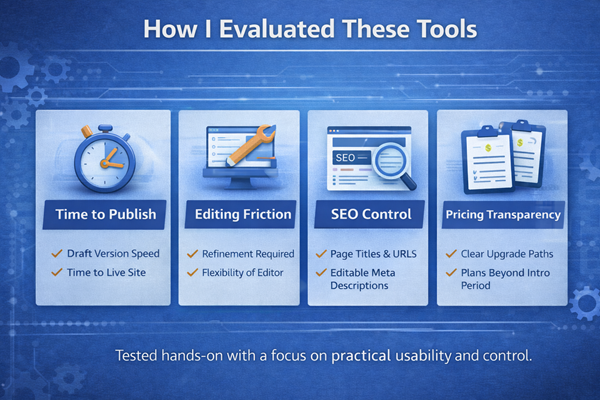
When reviewing AI website builders, I focused on practical workflow impact rather than feature lists. Marketing pages often highlight speed and automation, but what matters is what happens after the first draft is generated.
For each platform, I looked at five core areas:
- How long it took to generate a usable first version of the site, not just a homepage mockup.
- How much manual editing was required before the content felt credible and specific.
- Whether the design editor allowed meaningful structural changes or only cosmetic adjustments.
- How much control existed over SEO fundamentals like page titles, meta descriptions, heading hierarchy, and URL structure.
- Whether the pricing structure was transparent beyond the introductory offer.
When possible, I created an actual draft website inside the platform to evaluate:
- Time to publish.
- Editing friction.
- Mobile responsiveness without additional tweaking.
- Clarity of upgrade paths.
- Export or migration limitations.
If I did not build a full live project, I relied strictly on official documentation and public walkthroughs. In those cases, I focused on what was clearly stated rather than implied capabilities.
One of the biggest evaluation criteria for me is this: does the AI genuinely reduce decision fatigue, or does it simply shift complexity into the editing phase?
A fast initial draft that requires hours of restructuring is not efficient. A structured draft that needs refinement but preserves logical flow is valuable. That distinction became clear quickly during testing.
Key Features to Look For
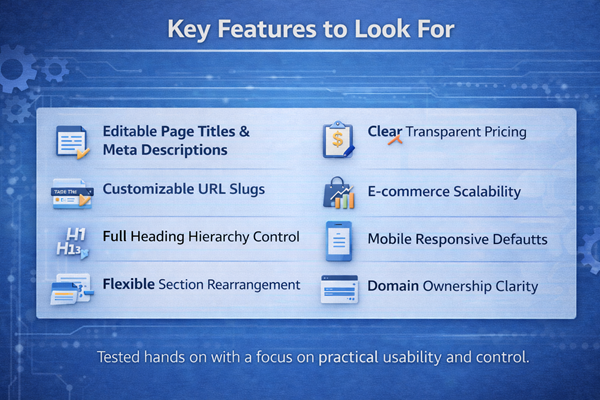
Choosing an AI website builder should not be about which tool generates the flashiest demo. It should be about long-term usability and control.
Here are the features I consider essential when evaluating these platforms:
- Clear control over page titles and meta descriptions rather than locked, auto-generated SEO fields that cannot be modified later.
- Editable URL slugs so you are not permanently tied to system-generated page paths.
- Full control over heading hierarchy, allowing you to structure H1, H2, and H3 tags intentionally.
- The ability to rearrange or remove entire sections rather than being forced to work within rigid layout blocks.
- Transparent pricing tiers that clearly explain what happens after the promotional period ends.
- E-commerce scalability options if you plan to add products later, even if you do not need them immediately.
- Mobile responsiveness that works without requiring separate mobile design adjustments.
- Domain ownership clarity, ensuring your custom domain can be transferred if needed.
- Clear upgrade paths that explain what features unlock at higher tiers instead of vague “business plan” descriptions.
- Export or migration policies that specify whether your content can move to another platform if you outgrow the builder.
Another overlooked feature is editing friction.
Some AI builders generate attractive drafts but make it cumbersome to adjust spacing, duplicate sections, or modify layout structures. That friction compounds over time.
The strongest platforms strike a balance between automation and manual flexibility. They provide a solid starting structure without locking you into that structure permanently.
Limitations and Realistic Expectations
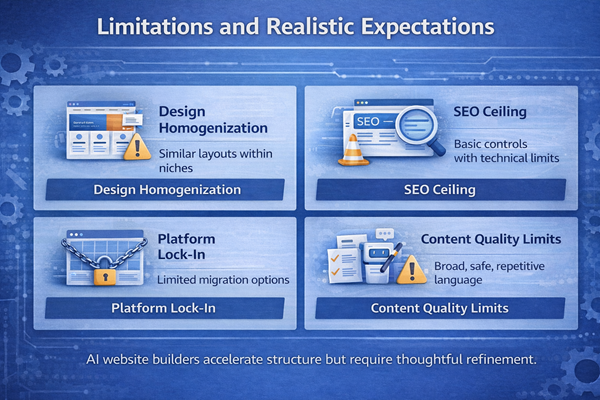
AI website builders are efficient, but they are not transformative in the way marketing language sometimes suggests. Understanding their limitations upfront prevents frustration later.
Design Homogenization
Because AI website builders rely on structured templates and industry-based layout patterns, many sites generated within the same niche share similar visual structure.
You may notice:
- Identical hero section formatting across different businesses.
- Similar service grid layouts.
- Repeated testimonial block designs.
- Predictable call-to-action placement.
This is not necessarily a problem for small businesses. For many use cases, clarity matters more than uniqueness. However, if brand differentiation is central to your strategy, you may eventually feel constrained by the template boundaries.
The AI assembles patterns efficiently, but it does not create a distinct visual identity from scratch.
SEO Ceiling
Most AI website builders provide basic SEO controls, but they are rarely built for advanced optimization.
Common limitations include:
- Limited access to structured data markup.
- Restricted control over deeper technical settings.
- Fewer options for performance tuning.
- Limited control over server-side optimizations.
For a simple business site targeting local search terms, these constraints may not matter. But for competitive SEO environments or content-heavy strategies, you may encounter ceilings.
AI can generate keyword-aligned text, but ranking still depends on technical structure, authority signals, and ongoing content strategy. The builder itself does not solve those factors. I explore these SEO trade-offs more deeply in a separate Do AI Website Builders Help With SEO? breakdown.
Platform Lock-In
One of the most important considerations is portability.
Many AI website builders are tightly integrated with proprietary hosting environments. That means:
- You may not be able to export full design structures.
- Rebuilding on another platform could require starting over.
- Advanced integrations might be limited to the ecosystem.
Before committing long-term, it’s worth reviewing the platform’s migration policy. I’ve outlined portability risks and migration realities in detail in a Can You Export an AI Website? guide. If the builder works well for your stage, this may not be an issue. But if you expect to scale into more complex functionality later, portability matters.
Content Quality Limitations
AI-generated content often provides a structurally sound starting point, but it tends to:
- Use broad, safe language.
- Avoid specific claims.
- Lack unique positioning.
- Sound similar to other generated sites in the same category.
This is where human refinement becomes essential. The AI draft reduces friction, but your brand voice and differentiation require manual input.
The key is to treat the AI output as a structured draft, not a finished product.
Tools I Tested
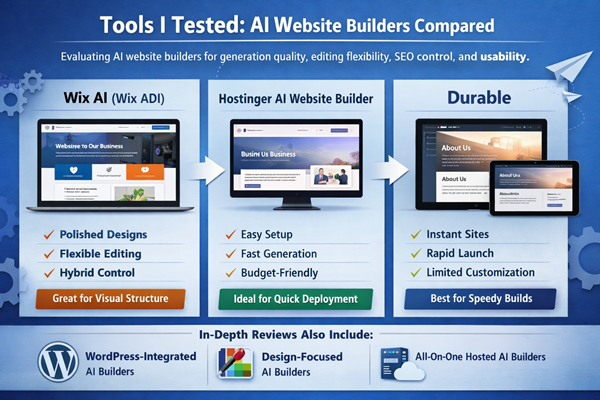
To keep this guide practical and grounded in real-world use, I focused on platforms that clearly position themselves as AI website builders, not traditional builders that simply added a lightweight AI writing assistant.
For each platform, I built a draft website and evaluated:
- Generation quality
- Editing flexibility
- SEO control
- Performance behavior
- Long-term scalability
The goal was not to see how quickly a homepage could be generated. The goal was to evaluate how well each system performs after the initial AI draft, when real business needs begin to surface.
Below is a summary of the platforms I tested directly. Full hands-on reviews are linked for deeper analysis.
Wix AI (Wix ADI)
Wix has evolved significantly from its original ADI (Artificial Design Intelligence) system. AI is now more deeply integrated into the overall builder experience.
During testing, the onboarding process asked structured questions about business type, goals, and design preferences. Within minutes, it generated a multi-page draft complete with navigation, service sections, and starter content.
What stood out was the visual polish of the initial layout. Spacing, structure, and mobile responsiveness were handled cleanly. The result did not feel randomly assembled.
Where it struggled was in content specificity. The AI-generated copy was structurally correct but generic. Meaningful refinement was required to reflect real positioning.
The ability to switch from AI generation into the standard Wix editor adds flexibility, making it a strong hybrid option for users who want automation first and manual control later.
Who it fits:
- Beginners who want strong visual structure
- Small businesses prioritizing clean design
- Users comfortable refining AI-generated copy
A full hands-on Wix AI review provides a deeper breakdown of editing control and SEO flexibility.
Hostinger AI Website Builder
Hostinger integrates its AI builder directly into its hosting platform. There is no separate configuration layer. Hosting and builder are bundled together, which reduces setup friction.
In testing, entering a short business description generated a complete homepage draft with service sections, testimonials, and contact forms in under a minute.
What stood out was simplicity and speed. The interface avoids overwhelming configuration options, making it accessible for non-technical users.
Where it struggled was deeper structural customization. While editing content and rearranging sections was straightforward, advanced layout adjustments were more limited compared to more mature ecosystems.
This platform feels best suited for brochure-style websites rather than complex multi-layered projects.
Who it fits:
- Small service businesses
- Users prioritizing low cost and fast deployment
- Founders who want hosting and builder in one place
The complete Hostinger AI Website Builder review expands on SEO control and long-term flexibility.
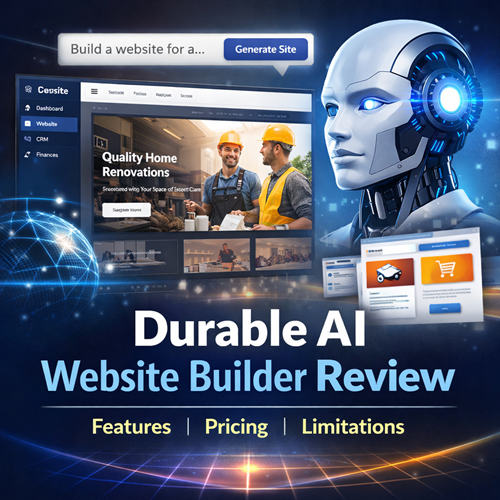
Durable
Durable positions itself as one of the fastest AI website builders available, and in testing, it delivered on that claim.
After entering a brief business description, a complete site draft was generated almost instantly. The structure included a homepage, services section, about page, and contact form.
What stood out was the near-instant generation speed. For idea validation or rapid launch scenarios, this reduces hesitation.
Where it struggled was differentiation and layout variation. The output felt heavily template-driven, and editing flexibility was more limited compared to larger platforms.
Durable works best as a fast-launch tool rather than a long-term scalable system.
Who it fits:
- Early-stage founders testing ideas
- Local businesses needing quick presence
- Users who value speed over customization depth
I’ve expanded on Durable’s strengths and limitations in a dedicated review.
Additional AI Website Builders Reviewed in Depth
Beyond the platforms summarized above, I’ve conducted full hands-on testing and written dedicated reviews for several additional AI website builders. These deeper breakdowns evaluate pricing structure, real editing flexibility, SEO control, WordPress integration, and long-term scalability.
To make navigation easier, I’ve grouped them by category.
WordPress-Integrated AI Builders
These platforms combine AI-assisted generation with the flexibility of the WordPress ecosystem, offering stronger long-term control at the cost of slightly higher complexity. For a direct infrastructure and SEO comparison, see the detailed Hostinger vs 10Web comparison.
Design-Focused AI Builders
These platforms emphasize layout precision, visual control, and performance tuning, with AI functioning more as an assistant than a full automation engine.
All-in-One Hosted AI Builders
These builders prioritize simplicity, bundled hosting, and rapid deploment, making them attractive for small business owners who prefer minimal configuration.
How AI Website Builders Compare
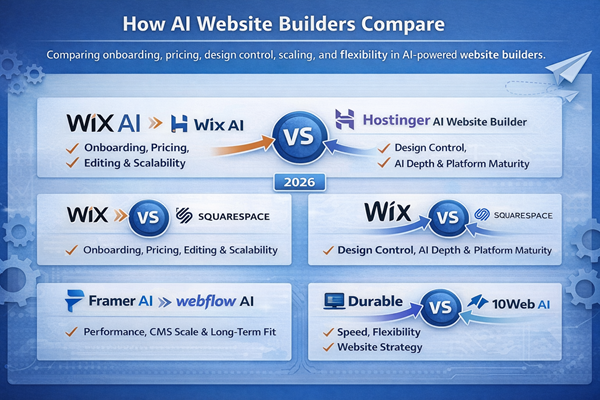
Choosing an AI website builder is rarely about features alone. Most platforms can generate a homepage and basic layout within minutes. The real differences appear in editing flexibility, CMS depth, pricing structure, SEO control, and long-term scalability.
To help clarify those tradeoffs, I’ve published detailed head-to-head comparisons that break down where each platform fits best depending on your goals.
Wix AI vs Hostinger AI Website Builder
Wix AI vs Hostinger AI Website Builder: Which Should You Choose? : This comparison explores onboarding experience, pricing tiers, editing depth, and long-term scalability. It’s most useful for small businesses deciding between design flexibility and low-cost simplicity.
Wix vs Squarespace (2026)
Wix vs Squarespace (2026): Which Is Better for Small Business Entrepreneurs?: This guide compares structured design control, AI assistance depth, and platform maturity. It helps clarify whether automation or polished template systems provide better long-term value.
Framer AI vs Webflow AI
Framer AI vs Webflow AI: Pricing, CMS Scale, and Long-Term Fit: This breakdown focuses on performance, CMS scalability, and developer-level control. It’s aimed at founders thinking beyond brochure sites toward scalable content systems.
Durable vs 10Web AI
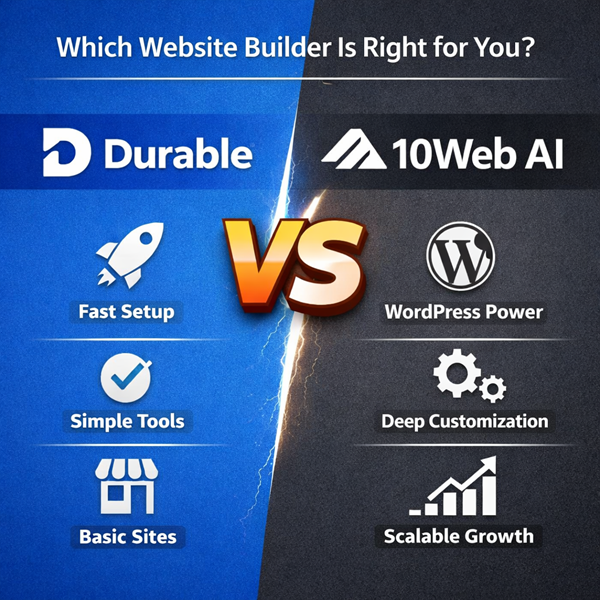
Durable vs 10Web AI: Which Platform Fits Your Website Strategy?: This comparison examines speed versus structural flexibility, especially for users deciding between rapid deployment and WordPress-powered extensibility.
Best AI Website Builders by Use Case
Not every founder is solving the same problem. Some need a fast portfolio launch. Others are scaling ecommerce catalogs. Agencies care about CMS depth and client control. The right AI website builder depends less on automation features and more on long-term structure.
Below are scenario-driven breakdowns designed to help you self-qualify based on business model, growth plans, and SEO priorities.
Best for Freelancers
The guide Best AI Website Builder for Freelancers: Wix vs Squarespace vs Framer compares design flexibility, pricing sustainability, and brand control for solo operators building portfolio or service websites.
Freelancers typically need:
• Clean visual presentation
• Simple content updates
• Affordable monthly cost
• Enough SEO control to rank locally
This comparison helps clarify whether structured simplicity or deeper customization is more important for your workflow and client positioning.
Best for Ecommerce
The article Wix vs Hostinger vs 10Web for Ecommerce: Product Management, Scaling, and SEO Structure focuses on catalog management, technical SEO flexibility, and long-term scalability.
Ecommerce operators should prioritize:
• Product and variant management
• URL and structured data control
• Performance under growth
• Flexibility as inventory expands
This breakdown is particularly useful if you’re thinking beyond launch and planning for real product scale.
Best for Agencies
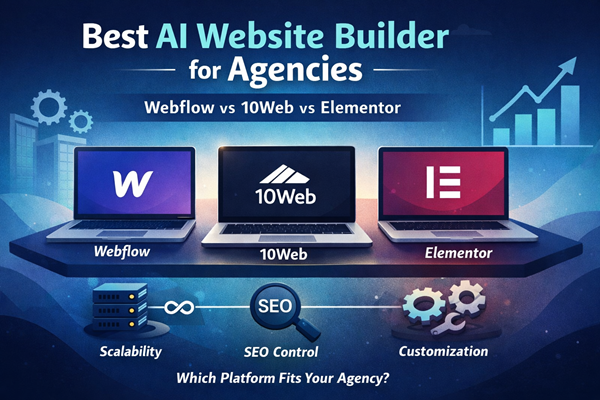
In Best AI Website Builder for Agencies: Webflow vs 10Web vs Elementor, the focus shifts to CMS depth, multi-site management, and client extensibility.
Agencies typically require:
• Advanced CMS capabilities
• Exportability or platform flexibility
• Scalable hosting infrastructure
• Team collaboration features
This guide examines which platforms provide real long-term control rather than surface-level AI generation.
Best for SEO Control
If search visibility is the primary objective, Best AI Website Builder for SEO Control: Webflow vs 10Web vs Wix dives into structured data management, metadata flexibility, redirect control, and hosting performance considerations.
SEO-focused businesses should evaluate:
• Customizable meta structures
• Schema implementation flexibility
• Technical performance and page speed
• Long-term platform portability
This scenario-based comparison clarifies where deeper technical control becomes more important than generation speed.
These use-case guides move beyond feature checklists and focus on fit. Instead of asking “Which AI builder is best?” the better question is “Which AI builder matches how I plan to grow?”
Who AI Website Builders Are Best For
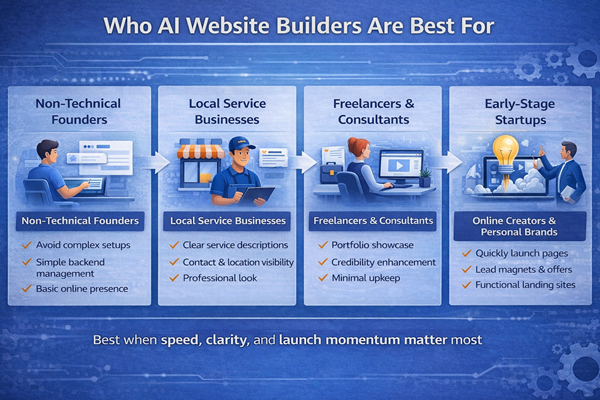
AI website builders are most effective when the primary goal is speed, clarity, and launch momentum rather than deep customization.
They work particularly well for:
- Non-technical founders who want to avoid learning hosting environments, theme configuration, and plugin management just to get a simple site online.
- Local service businesses that need a professional presence with clear service descriptions and contact options rather than advanced backend functionality.
- Freelancers and consultants who want a clean portfolio site without investing weeks into design refinement.
- Creators launching a lead magnet, ebook, course, or personal brand who need something functional quickly.
- Early-stage startups validating an idea before committing to custom development.
The common theme across these groups is this: the website is a tool, not the core product.
If your main objective is to establish credibility, capture leads, or test positioning, AI website builders reduce the time between idea and execution. They allow you to focus on messaging and offer clarity rather than technical setup.
They are also well-suited for users who prefer structured guidance. The onboarding process narrows decision choices, which reduces overwhelm. For many business owners, that constraint is helpful rather than limiting.
In practical terms, these platforms are strongest when:
- Your site is fewer than 15–20 pages.
- You do not require custom database functionality.
- You are not dependent on advanced third-party integrations.
- You prioritize speed over long-term technical flexibility.
Who It Is Not Ideal For
AI website builders are not a universal solution. In certain scenarios, they introduce constraints that outweigh their speed advantage.
They are generally not ideal for:
- Developers who require full backend access, server-level customization, or custom code environments.
- Businesses that depend on complex integrations with CRM systems, proprietary databases, or advanced automation tools.
- High-scale e-commerce operations that require advanced inventory logic, subscription systems, or custom checkout flows.
- Content-heavy SEO projects where granular control over schema markup, performance tuning, and technical architecture is critical.
- Brands where visual differentiation is central to positioning and design nuance cannot be constrained by templates.
If your long-term roadmap includes advanced functionality, AI website builders may become limiting. Many platforms restrict code access or do not allow full design export, which can require rebuilding the site entirely if you migrate later.
There is also a strategic consideration. If your competitive advantage depends heavily on brand presentation, storytelling, or custom interaction design, template-driven automation may flatten those distinctions.
In these cases, traditional content management systems or custom development environments provide more flexibility. If you’re debating between automation and hiring a professional, I’ve broken down the cost and control differences in a full AI Website Builder vs Hiring a Web Developer comparison. They require more setup time and potentially higher cost, but they allow deeper control.
The key question is not whether AI website builders are “good” or “bad.” It is whether their structured automation aligns with your level of complexity.
Pricing Considerations
Pricing is often where the appeal of AI website builders becomes strongest — and where misunderstandings can happen. I’ve modeled short- and long-term costs separately in an AI Website Builder Pricing Breakdown analysis.
Most AI website builders bundle several components together:
- Hosting
- Security certificates (SSL)
- Design templates
- AI content generation
- Basic SEO tools
- Customer support
At first glance, this makes them appear more affordable than assembling a traditional setup with separate hosting, premium themes, and plugins.
However, there are a few pricing dynamics worth paying attention to.
Introductory vs Renewal Pricing
Many platforms advertise low entry pricing for the first term. After that period ends, renewal rates may increase significantly.
Before committing, it’s worth checking:
- What the renewal price is after the first year.
- Whether discounts apply only to annual plans.
- Whether monthly plans carry higher rates.
The real cost of ownership is not the first payment. It is what you pay over two or three years.
Feature Tier Gating
Some AI website builders restrict functionality based on plan level.
For example:
- Custom domains may require upgrading from a basic tier.
- E-commerce functionality might be locked behind a business plan.
- Advanced analytics or integrations may only appear at higher levels.
- Transaction fees may apply at lower tiers but disappear at higher ones.
It’s important to assess not just what you need today, but what you might need within the next 12 months.
E-commerce and Transaction Costs
If you plan to sell products or services directly through your website, look closely at:
- Payment processing fees.
- Platform transaction fees.
- Product limits per plan.
- Subscription or digital product support.
Some builders are optimized for brochure-style websites and treat e-commerce as an add-on rather than a core feature. If selling products is your primary goal, I’ve analyzed e-commerce-specific limitations and strengths in a focused AI Website Builder for Ecommerce guide.
Upgrade Friction
One overlooked cost is migration effort.
If you outgrow the platform and cannot export your full site structure, you may need to rebuild from scratch elsewhere. That rebuild carries time cost and potentially financial cost.
In early stages, that trade-off may be acceptable. But it should be a conscious decision rather than a surprise.
AI website builders often offer strong short-term value. The key is evaluating whether that value holds as your business evolves.
Final Thoughts
AI website builders are best understood as acceleration tools. They remove the friction of starting, structure the first draft, and reduce the technical barrier to publishing.
In my testing, the strongest advantage was not intelligence — it was momentum. Being able to move from idea to a functional website in a short period of time changes behavior. It reduces hesitation and shortens the path to launch.
What these tools do not replace is positioning, clarity, and strategic thinking. The AI can assemble a structure. It cannot decide what makes your business distinct. That still requires judgment.
If you are in an early stage, validating an idea, or launching a straightforward service site, AI website builders can be highly practical. If your roadmap includes complex integrations, deep customization, or aggressive SEO scaling, you may eventually need more control than these platforms offer.
The decision ultimately comes down to stage and scope. When speed and simplicity matter most, AI website builders are effective. When control and customization become critical, traditional systems regain their advantage.
The technology is evolving quickly. The underlying principle, however, remains stable: automation works best when it supports strategy, not when it attempts to replace it.