Build One-Prompt Apps with Gemini 3 + n8n (and Launch Free on the Web)
Build One-Prompt Apps with Gemini 3 + n8n (and Launch Free on the Web)
If you’ve been watching “AI can build apps now” content and thinking, yeah… but does it actually work end-to-end? — this is the practical flow that does.
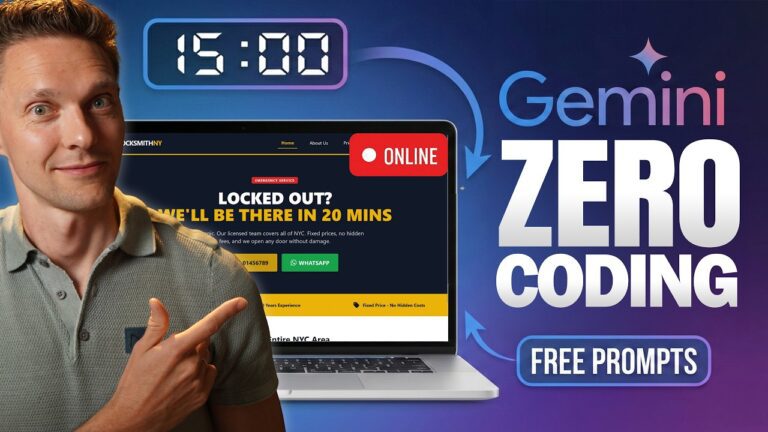
The idea is simple: use Gemini 3 to generate a clean front-end app from one strong prompt, use n8n as the “engine room” (webhooks + automations), then deploy the finished app to the web so anyone can use it. Gemini 3 is also showing up as a faster, more capable model inside the Gemini app, which makes this workflow even smoother.
The 3-step system
- Create the app (front end): the UI people interact with
- Power the app (back end): the logic that makes it do something
- Launch the app (deploy): put it on a public URL so it’s real
Step 1: Create the app in Gemini (Canvas-style workflow)
The fastest way to get a usable result is to treat your prompt like a mini product brief.
If you’re using Gemini’s Canvas-style setup (a workspace where it generates and previews the app), you’ll typically be generating something you can immediately click through and iterate on.
Use the VIBE prompt structure
A strong one-prompt build usually includes four pieces:
V — Visuals
Describe the look you want (clean SaaS, glassy cards, modern spacing, etc.).
I — Interface
Spell out what’s on screen and what users can do (upload, form fields, buttons, confirmation states).
B — Backend
Describe what should happen when the user submits (send data to a webhook, generate output, email result).
E — Exclusions
What not to do (no multi-file output, no complex auth, no extra pages, etc.).
Tip: don’t try to fix 10 things at once. Send changes one-by-one. These models respond better when you keep edits scoped.
Step 2: Power it with n8n (webhook → processing → output)
Once the UI exists, you make it useful by wiring it to n8n.
The basic n8n pattern
Input: Webhook node (POST)
Processing: image/text generation, transformations, routing
Output: send email, write to Google Sheets, save a file, etc.
In real life, this becomes your reusable “backend template.” Every new app is basically a new front end pointed at a similar automation flow.
What your Gemini-built app sends
Common payloads:
- user text request (prompt)
- email address (where to send results)
- uploaded images (binary)
You copy your n8n production webhook URL and tell Gemini to update the app so the submit button posts to that endpoint. (Test URL first, then production URL once you’re happy.)
Step 3: Launch it on a public URL (simple deploy)
If your app is a single HTML file, the easiest deployment is usually:
- copy the generated code
- save it as
index.html - place it inside a folder
- deploy that folder via a drag-and-drop host
That gets you a shareable URL fast, which is the whole point: you want something you can demo, ship, and iterate.
What this workflow is best for
Who This Is Best For
- People who want a real demo app fast (lead magnets, client demos, internal tools)
- Marketers and creators who want “interactive tools” without hiring a dev
- Anyone learning automation who wants a practical reason to use n8n
Who This Is Not Ideal For
- Apps needing serious authentication, permissions, or user accounts
- Complex products with lots of pages, databases, and long-term scaling needs
- Anything where security requirements are strict and formal (you’ll need deeper engineering)
A few practical guardrails
- Treat webhooks like public doors: use basic protection (tokens, validation, rate limits) once you go beyond demos.
- Keep your first version tiny. “It works” beats “it’s perfect.”
- If you’re using this as a lead magnet, log submissions (like email + request type) into a sheet so you can follow up cleanly.