Best AI Website Builder for Freelancers: Wix vs Squarespace vs Framer
If you’re choosing the Best AI Website Builder for Freelancers, you’re not experimenting. You’re deciding. Your portfolio needs to look credible. Your monthly cost needs to stay controlled. And the platform must remain simple enough that you’re not maintaining your website instead of serving clients.
This comparison integrates hands-on findings from the individual platform reviews — the Framer AI Website Builder Review, Wix AI Website Builder Review, and Squarespace AI Website Builder Review — and applies them directly to a decision-stage shortlist.
If you want the full evaluation framework behind how these tools were tested, review the AI Website Builder Guide: How It Works and What to Look For before locking your choice.
Platform Positioning and AI Generation Quality
AI generation matters most at launch. After that, editing depth and control take over.
Wix: AI + Full Ecosystem Control

In the Wix AI Website Builder Review, the onboarding flow generated a structured multi-page draft within minutes. It asked about business type, services, tone, and goals — then built navigation, service sections, and starter content automatically.
Key observations from testing:
- AI builds a usable draft quickly.
- You immediately enter the full Wix editor for deeper customization.
- SEO controls (meta titles, descriptions, mobile optimization) are accessible from the start.
Wix blends automation with manual control. The AI gets you started. The ecosystem lets you refine everything.
The trade-off is complexity. The more you customize, the more decisions you manage.
Squarespace: AI Within a Structured Design System

In the Squarespace AI Website Builder Review, AI acted more as an accelerator than a builder replacement. It generated content and layout suggestions, but the platform kept everything inside a structured template framework.
From hands-on testing:
- The AI reduces blank-page friction.
- Templates remain visually cohesive.
- Design guardrails prevent layout chaos.
Squarespace protects brand consistency. It limits extreme customization but makes it difficult to build something visually broken.
The trade-off is flexibility. You gain simplicity, but you sacrifice layout freedom.
Framer: AI + Visual Canvas Editing
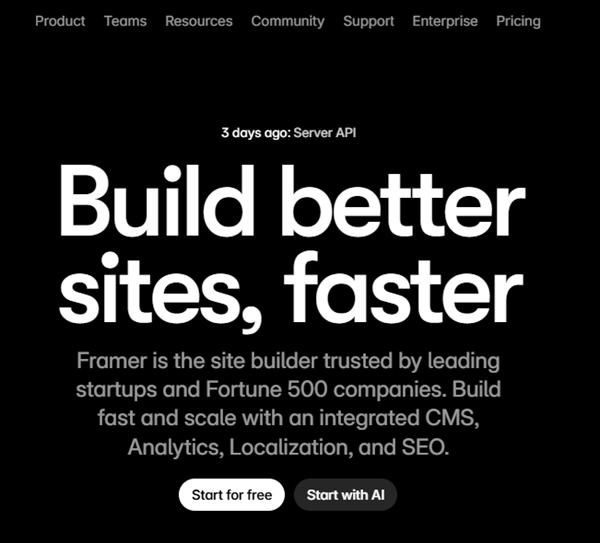
In the Framer AI Website Builder Review, the generation phase was fast. But unlike Wix or Squarespace, the real power appeared after generation — inside the visual canvas.
Testing revealed:
- AI creates a functional structure quickly.
- Editing is design-first, not template-first.
- Animations and layered layouts are stronger than competitors.
Framer assumes visual confidence. It gives you precision rather than guardrails.
The trade-off is that non-designers may feel exposed without template constraints.
Portfolio Presentation Depth
Freelancers win work visually. The platform must support authority.
Wix Portfolio Capabilities
Wix allows:
- Custom page layouts.
- Mixed service + case study architecture.
- Integrated booking or ecommerce pages.
From review testing:
- Drag-and-drop sections allow granular control.
- It’s easy to add testimonials, blog sections, and service funnels.
- Over-editing can create inconsistency.
Wix is ideal for freelancers who need both portfolio and service infrastructure.
Squarespace Portfolio Capabilities
Squarespace excels at:
- Clean typography.
- Image-forward layouts.
- Brand cohesion across pages.
From review findings:
- Design remains balanced automatically.
- Blogging is integrated cleanly.
- Less risk of over-customization mistakes.
Squarespace is strong for writers, photographers, consultants, and minimal brand-focused freelancers.
Framer Portfolio Capabilities
Framer stands out for:
- Motion.
- Layout layering.
- Creative section transitions.
From performance testing:
- Visual precision exceeds both Wix and Squarespace.
- CMS allows dynamic project collections.
- Presentation feels modern and high-end.
Framer is best when the portfolio itself is the product.
Real Pricing Comparison
Below reflects annual billing equivalents.
| Feature | Wix | Squarespace | Framer |
|---|---|---|---|
| Entry Plan | ~$16–$18/mo | ~$16/mo | $10/mo |
| Mid Tier | ~$22–$27/mo | ~$23/mo | $30/mo |
| Ecommerce Entry | ~$27/mo | ~$39/mo | Integration required |
| High Tier | ~$59/mo | ~$99/mo | $100/mo + usage |
| AI Included | Yes | Yes | Yes |
| CMS Scaling | Unlimited pages | Structured | 1,000–10,000+ items |
| Transaction Fees | None on higher tiers | 3% lower tiers | Via integrations |
Cost Control Analysis
Wix:
- Affordable entry.
- Add-ons via marketplace can increase cost.
- Ecommerce tiers unlock real functionality at ~$27+.
Squarespace:
- Predictable fixed tiers.
- 3% transaction fee on lower commerce tiers.
- Advanced ecommerce requires $99/mo tier.
Framer:
- Lowest entry at $10/mo.
- CMS limits tied to tier.
- Editor seats and add-ons increase cost.
- Ecommerce not native.
Framer is cheapest for pure portfolios. Wix balances business expansion. Squarespace sits mid-range but scales sharply at higher tiers.
Simplicity and Ongoing Management
Wix Management Reality
From testing:
- AI setup is fast.
- Feature density increases complexity over time.
- Deep control means more maintenance decisions.
Wix is manageable if you stay disciplined.
Squarespace Management Reality
Review findings showed:
- Templates reduce layout errors.
- Backend remains clean and minimal.
- Blogging and updates are straightforward.
Squarespace is the easiest platform to maintain long term.
Framer Management Reality
From performance testing:
- Editing is smooth if design literate.
- CMS upgrades required for scale.
- Fewer built-in business tools mean external integrations.
Framer is simple visually, but requires strategic planning for growth.
Scalability and SEO Strength
Freelancers often grow into agencies, educators, or content publishers.
Wix SEO and Growth
From review testing:
- Custom meta tags.
- URL editing.
- Structured SEO settings.
- App ecosystem supports marketing automation.
Wix supports long-term content scaling and service expansion.
Squarespace SEO and Growth
From review:
- Clean URL structure.
- Integrated blogging.
- Built-in analytics.
SEO is solid but more structured. It works well for moderate content strategies.
Framer SEO and Growth
From performance testing:
- Clean HTML output.
- Fast hosting and CDN.
- CMS-driven project scaling.
However:
- Large content strategies require higher tiers.
- Ecommerce depends on integrations.
Framer scales best for creative authority sites rather than content-heavy marketing funnels.
Decision-Stage Fit Recommendations
Choose Wix if:
- You want AI speed plus deep control.
- You plan to build SEO content.
- You may add services, bookings, or ecommerce.
Choose Squarespace if:
- You value simplicity and brand consistency.
- You want predictable pricing.
- You prefer a guided structure.
Choose Framer if:
- Visual differentiation is critical.
- Your portfolio is your primary asset.
- You do not need built-in business infrastructure.
For most freelancers balancing presentation, cost control, and scalability, Wix provides the broadest runway.
For visual-first creatives, Framer offers the strongest presentation authority.
For freelancers prioritizing simplicity and cohesion, Squarespace reduces operational friction.
The Best AI Website Builder for Freelancers is the one aligned with your two-year growth path — not just your launch week.