How to Build a Website with Hostinger AI (Step-by-Step Guide)
Building a professional website used to mean hiring a developer, learning code, or spending weeks figuring out complex platforms. AI website builders have changed that process. With Hostinger’s AI builder, you can move from idea to live website in a structured, guided way.
Here’s how the process works from start to finish.
What This Tool Does
Hostinger’s AI website builder allows you to:
- Generate a complete website layout using a written prompt
- Automatically create text, structure, and visual elements
- Customize design without coding
- Add ecommerce and digital delivery functionality
- Launch quickly with hosting and security handled
Instead of building everything manually, the AI creates a starting framework. You refine it to match your brand and goals.
How It Works
Step 1: Start with a Clear Plan
Before generating anything, define what your website needs to accomplish. The most effective approach is to outline:
- Target audience
- Product or service categories
- Unique value proposition
- Required pages (Home, Shop, About, Blog, etc.)
- Core features (checkout, downloads, customer accounts, filters)
Using AI planning tools to draft this structure can help clarify your positioning before you build. A well-structured blueprint prevents generic results.
For example, a digital product store might include:
- Social media templates
- Branding kits
- Wall art
- Productivity tools
- Physical print options
The clearer your concept, the better the AI output.
Step 2: Access the AI Website Builder
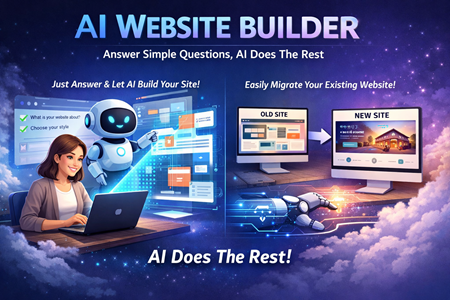
Inside the Hostinger dashboard, choose the AI website builder option. The interface is conversational, designed to feel less technical and more guided.
You’ll enter a description of your website idea. This can include:
- Business type
- Style preferences
- Required pages
- Features you want included
Once submitted, the AI begins generating your site structure.
Step 3: Let the AI Generate the Website
The AI builds:
- Homepage layout
- Product showcases
- Page structure
- Basic content
- Navigation
- Mobile-optimized design
For ecommerce sites, it can generate:
- Product pages
- Pricing blocks
- Download functionality
- Customer account areas
- Payment integrations
You can give real-time instructions such as:
- Increase product image size
- Add testimonials
- Change header color
- Adjust button styles
The system updates instantly, making iteration fast.
Step 4: Customize for Brand and Conversion
Once the base structure is ready, refinement is key.
Focus on:
- Updating color palettes to match branding
- Strengthening homepage messaging
- Adding creator or brand story sections
- Uploading high-quality product previews
- Writing detailed product descriptions
- Adding testimonials and reviews
- Improving call-to-action buttons
The builder maintains design consistency automatically, which helps beginners avoid layout mistakes.
Step 5: Test Everything Before Publishing
Before going live, walk through the site like a customer.
Checklist:
- Preview homepage and navigation
- Complete a full purchase test
- Confirm downloads work correctly
- Test account creation and login
- View on mobile and desktop
- Check loading speed
- Verify filters and galleries function properly
Hostinger includes tools that scan for broken links, performance issues, and mobile compatibility. Fixing problems before launch prevents poor first impressions.
Step 6: Publish and Launch
Once testing is complete, you can publish directly from the dashboard. Hosting, SSL, and security are already handled within the platform.
This eliminates the need for:
- Manual server setup
- Separate hosting providers
- Complex DNS configuration
The result is a live website without technical friction.
Key Points from the Guide
- AI removes traditional design and coding barriers
- Planning improves AI output quality
- Real-time editing allows instant refinement
- Ecommerce and digital delivery are supported
- Built-in hosting simplifies deployment
- Testing is essential before launch
- Launch speed can be hours instead of months
Who This Tool Is Best For
- First-time website builders
- Digital product creators
- Small business owners
- Online entrepreneurs
- Portfolio creators
- Anyone wanting fast time-to-market
If your goal is to launch quickly without technical complexity, this workflow fits.
Who This Tool Is Not Ideal For
- Developers needing deep custom code control
- Enterprise-scale ecommerce stores
- Advanced technical SEO projects
- Complex multi-warehouse logistics setups
For large-scale systems, specialized platforms may be more appropriate.