Framer AI vs Webflow AI: Pricing, CMS Scale, and Long-Term Fit
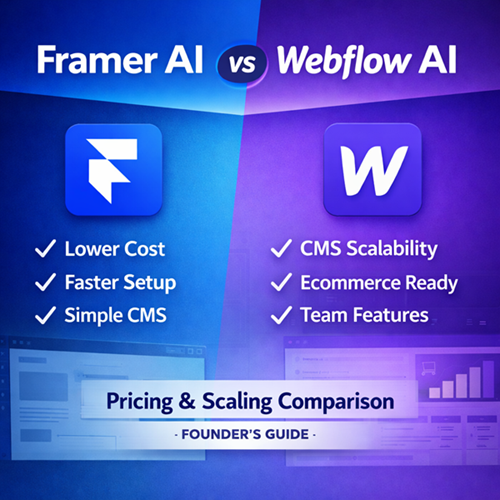
If you are choosing between Framer AI and Webflow AI, the real question is not which one looks better on day one. The question is how each platform behaves as your site grows.
This comparison evaluates both platforms using the same criteria:
- Entry cost
- CMS scalability
- Page limits
- Bandwidth and traffic capacity
- Team and operational controls
- Ecommerce capability
- If you have not reviewed the underlying framework for evaluating AI website builders, start with our AI Website Builder Guide.
- For deeper platform analysis, see: Framer AI Website Builder Review and Webflow AI Features Review
Now let’s break this down systematically.
The Two Platforms at a Structural Level
Framer began as a design tool and evolved into a full website builder with AI site generation. It prioritizes fast deployment, visual flexibility, and simplified pricing tiers. AI is included across plans, and the onboarding flow generates structured multi-page drafts from prompts.
Webflow built its reputation on structured visual web design with granular layout control. AI enhances the builder but does not replace the architectural framework. It supports relational CMS structures, ecommerce tiers, and multi-user workflows.
Framer optimizes for speed and simplicity.
Webflow optimizes for architecture and flexibility.
The better choice depends on your growth model.
Evaluation Criteria Used in This Guide
To maintain structural parity, both tools are evaluated across the same dimensions:
• Entry-level cost
• CMS scalability
• Page limits
• Bandwidth capacity
• Team and operational controls
• Ecommerce capability
• Long-term cost scaling
This ensures the comparison remains consistent and non-promotional.
Pricing & Scalability Comparison (Annual Billing)
| Category | Framer | Webflow |
|---|---|---|
| Entry Paid Plan | Basic — $10/mo | Basic — ~$14/mo |
| Free Plan | No | Yes (limited, no custom domain) |
| Custom Domain | Included | Included (not on Free) |
| AI Tools | Included on all plans | Included on all plans |
| Mid-Tier Price | Pro — $30/mo | CMS — ~$23/mo |
| High-Tier Price | Scale — $100/mo + usage | Business — ~$39/mo |
| Max Pages (Mid-Tier) | 150 | 150 |
| Max Pages (Higher Tier) | 300+ | 300 |
| CMS Collections (Mid-Tier) | 10 | 20 |
| CMS Items (Mid-Tier) | 2,500 | 2,000 |
| CMS Items (Top Tier) | 10,000 | 10,000 |
| Bandwidth (Mid-Tier) | 100GB | 50GB |
| Redirects | Pro+ | CMS+ |
| Staging | Pro+ | CMS+ |
| Advanced Analytics | Scale only | Business+ |
| Roles & Permissions | Pro+ | CMS+ |
| Editor Seats | $20–$40 per seat | Workspace pricing (separate) |
| Ecommerce | No | Yes |
| Transaction Fees | N/A | 2% (Standard), 0% (Plus/Advanced) |
Now we interpret what matters.
Entry-Level Economics
Framer’s $10 Basic plan is immediately production-ready. It includes custom domain support and CMS access with 1,000 items.
Webflow’s free plan is useful for experimentation but does not support custom domains. To publish publicly, you must upgrade.
If the goal is the cheapest legitimate launch path, Framer provides lower friction.
However, Webflow’s Basic plan supports 150 pages, which may be sufficient for static marketing sites that do not require CMS.
The distinction at entry level is primarily about CMS inclusion.
CMS Scalability and Content Engines
Framer scales via vertical ceilings:
• 1,000 items
• 2,500 items
• 10,000 items
These caps are clear and predictable.
Webflow’s CMS plan (~$23/mo) supports 2,000 items across 20 collections. The Business tier expands structural capacity while remaining under $40/month.
At modest scale, both are viable.
At larger content volumes, Webflow’s pricing ladder is significantly more gradual. Framer’s jump to $100/month introduces a sharper economic threshold.
If your model involves:
• Programmatic SEO
• Directories
• Resource hubs
• Structured relational content
Webflow’s architecture and pricing are structurally advantageous.
Page Limits vs Content Limits
Framer Pro and Webflow CMS both allow 150 pages.
Framer Scale supports 300+ pages. Webflow Business supports 300 pages.
However, page limits are less important than CMS item limits for dynamic sites. Static page caps rarely become the scaling constraint. Structured content volume typically does.
This is where founders often miscalculate early decisions.
Bandwidth and Traffic
Framer Pro includes 100GB of bandwidth. Webflow CMS includes 50GB.
If you anticipate high marketing traffic with media-heavy assets, Framer’s mid-tier bandwidth is stronger.
However, Webflow’s higher tiers expand bandwidth as traffic grows.
For traffic-heavy but structurally simple sites, Framer is competitive.
For traffic-heavy structured ecosystems, Webflow scales more economically.
Team and Workflow Structure
Framer introduces roles and permissions at Pro tier. Additional editors are billed per seat.
Webflow separates site plans and workspace plans. This creates complexity but allows scalable team environments.
For:
• Solo founders
• Small marketing teams
Framer feels straightforward.
For:
• Agencies
• Multi-client environments
• Larger internal teams
Webflow’s structure is more expandable.
Ecommerce Considerations
Framer does not provide native ecommerce tiers.
Webflow includes ecommerce plans with transaction fee variations depending on tier.
If ecommerce is required, Webflow is the only viable choice between these two.
This is not a subjective distinction.
Long-Term Cost Scaling Scenarios
Scenario 1: SaaS Marketing Site with Blog (Under 2,000 CMS Items)
Framer Pro at $30/month is competitive and includes higher bandwidth.
Webflow CMS at ~$23/month is slightly cheaper but includes lower bandwidth.
Either works. Framer offers simpler structure.
Scenario 2: Content Engine Growing Beyond 3,000 Items
Framer requires upgrading to $100/month Scale tier.
Webflow Business remains around ~$39/month.
Webflow becomes significantly more cost-efficient.
Scenario 3: Ecommerce Store
Framer is not positioned for this use case.
Webflow ecommerce tiers are required.
Scenario 4: Agency Managing Multiple Editors
Framer seat-based pricing compounds per user.
Webflow workspace structure scales more predictably.
The economic inflection point appears at mid-to-large CMS scale or team expansion.
Structural Trade-Off Summary
Framer emphasizes:
• Fast launch
• Lower entry cost
• Higher mid-tier bandwidth
• Simpler pricing ladder
Webflow emphasizes:
• Relational CMS architecture
• Gradual scaling economics
• Ecommerce support
• Multi-user collaboration
The correct decision is not about which platform is “better.” It is about which structure aligns with your growth path.
Fit-Based Recommendation
Choose Framer AI if:
• You are launching a marketing-focused site under 2,500 CMS items.
• Your team is small and primarily content or product marketing driven.
• You want predictable, simplified pricing with faster deployment.
• Ecommerce is not required.
Choose Webflow AI if:
• You expect CMS volume to exceed 2,500 items.
• You are building a structured content engine or directory.
• Ecommerce functionality is part of your roadmap.
• You operate with multiple collaborators or agency workflows.
Both platforms are capable. The difference lies in architectural intent and scaling thresholds.