Using Sudowrite in Non-English Languages
“Join instructors Dahlia and Manon for an in-depth exploration of writing in non-English languages using Sudowrite. This session covers essential tips and”
Writing in Other Languages With Sudowrite:
What Actually Works
(and What’s a Little Weird)
If you’ve ever tried writing in a language that isn’t English inside an AI writing tool, you already know the vibe: it works… until it doesn’t. You’ll be cruising along in Spanish or German, click a fancy “Rewrite” button, and suddenly your paragraph comes back in English like, “Hello, I have decided we live here now.”
This workshop (hosted by Dalia and Manet/Mano) is basically a practical tour through what does work—especially for multilingual writers using Sudowrite—plus a few workflow tricks that can save you a ton of time.
The Big Problem: AI Tools “Default to English”
Dalia kicks off by saying she’s been using Sudowrite since 2020 to plan and write novels, mostly in German. The session’s focus: how to work effectively with non-English text and avoid the tool flipping back to English when you least want it to.
A key detail: some tools behave better than others.
Quick Edit tends to behave better than “Rewrite/Describe/Expand”
Dalia notes that Sudowrite’s “laser tools” (rewrite/describe/expand) can sometimes spit out English even if your draft is in another language.
But Quick Edit and Quick Chat are usually more reliable. The theory: they can “see” more context (like your Story Bible), so they have a better idea what language you’re working in.
The Magic Phrase That Helps a Lot
This came up multiple times and it’s honestly the simplest takeaway from the whole session:
- Add a line like: “Write all content in Spanish” (or German, French, etc.)
- Put it in multiple places—especially in:
- Genre
- Style
- Synopsis
- Outline / planning areas
- Basically any box that influences generation
One attendee put it perfectly: if you miss one box, the system may drift back to English later—especially when generating characters or worldbuilding.
Using Quick Edit for Translation (Cheap and Surprisingly Solid)
Dalia demonstrates translating a weird little sample text using Quick Edit with a prompt like:
- “Take this paragraph in English and write it in Spanish, preserving style and tone.”
The group confirms the Spanish output looks fine. One quirk: Quick Edit sometimes removes line breaks on longer text, which is annoying but not a dealbreaker.
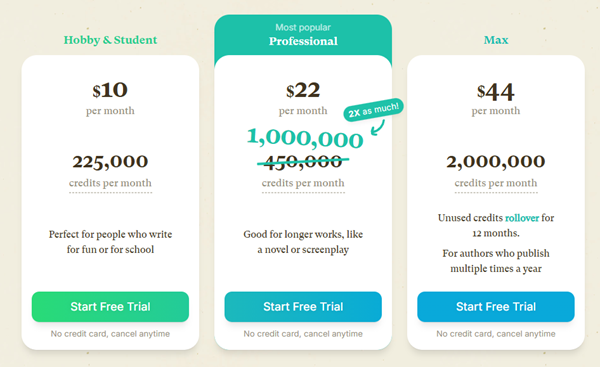
Also: Quick Edit has a free/basic mode, so translation experiments can cost zero credits, which is great if you’re trying things out.
Free vs Paid Translation Quality
They run a quick comparison and the difference isn’t night-and-day—more like:
- slightly different word choices
- sometimes formatting is a bit better in paid mode
But for straight translation, the free output is often “good enough.”
Model Testing: Different Models Sound Different in Your Language
Another helpful trick: run the same prompt through different models to see which one “sounds right” in your language.
Dalia suggests making a neutral test prompt (like a short conversation between friends) and then swapping models to compare tone and fluency. They try Italian, hit a snag (because the prompt still included “write in Spanish”), fix it, and it works.
A funny pattern shows up too: AI tends to reuse “default names” for cultures (like “Marco” showing up repeatedly in Italian outputs). The fix is simple:
- pick names yourself using naming sites (like baby name lists or name databases)
- don’t rely on the model’s “most Italian Italian name”
A Practical Nonfiction Workflow: Import, Duplicate, Translate
Manet shares a workflow that’s especially useful for nonfiction writers:
Step-by-step workflow
- Do your research in Word (or wherever)
- Import the document into Sudowrite (importing is free, so do it early)
- Duplicate the project for each language version (English → French, etc.)
- Add: “Write all content in French” in the Story Bible / style areas
- Use Rewrite on big sections like the synopsis to translate them
Manet shows translating a synopsis into French and notes it cost around 192 credits—not bad considering it’s turning a whole planning chunk into usable French.
Translating isn’t “word-for-word Google Translate”
They also point out that older machine translation used to feel stiff. Now, both Google Translate and Sudowrite-style rewriting can produce more natural language—closer to “proper French” than robotic literal translation.
Beats and Regeneration: You’re in Charge
For drafting chapters, Manet uses “beats” (Beat 1, Beat 2, etc.) and regenerates until it matches what they want.
Key tips:
- You can regenerate a specific beat, not the whole chapter
- You can add very specific controls, like:
- first-person POV
- present tense
- nonfiction tone
- If you want a shift (like 3rd person → 1st person), you can guide it beat-by-beat with instructions placed right where you generate.
Practical Tips From the Session
Here’s the condensed “do this, avoid that” list:
- Use Quick Edit for translation when other tools drift to English.
- Sprinkle your language instruction everywhere important:
- “Write all content in [language]”
- When testing models, use the same prompt across multiple models.
- Watch for “default culture names” and override them manually.
- For nonfiction:
- import your research
- duplicate per language
- rewrite big planning chunks into your target language
- Expect minor formatting quirks (like lost line breaks) and just clean them up after.
Final Thought: Multilingual Writing Is Totally Doable (With Guardrails)
The vibe of the workshop is basically: “Yes, this works. You just have to babysit the language setting a little.” Once you build the habit of pinning the language in the right places, Sudowrite becomes a lot more usable for Spanish, German, French, Italian—and even dialect experiments.
And if you’re curious about trying it yourself, the simplest place to start is translation + quick edits—then work your way up to full drafting.