Sudowrite’s Mobile App Is Here: It’s Official
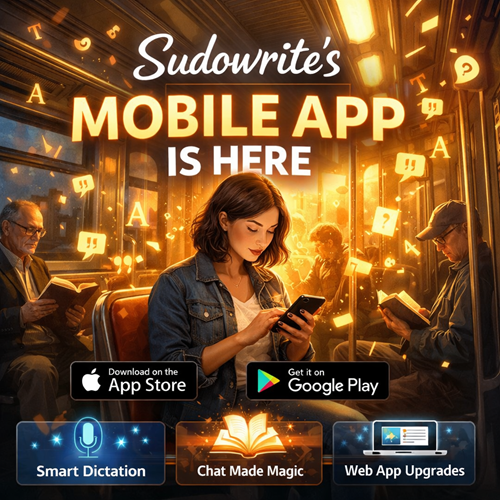
Sudowrite is now officially on iOS and Android — and it’s not some stripped-down companion app. It’s the real thing.
You asked for a better way to write on the go. They built it.
With the Sudowrite mobile app, you can use your favorite tools right from your phone — plus a few powerful new features that are designed specifically for mobile. And if you’re already a subscriber? It’s included. No extra charge.
Download it:
- Apple App Store
- Google Play
Now let’s talk about what actually makes this exciting.
Smart Dictation (Finally, Dictation That Doesn’t Sound Like Dictation)
Typing on a phone is slow. Speech-to-text is usually worse.
Sudowrite’s new Smart Dictation changes that.
It doesn’t just transcribe your voice — it turns it into polished prose. It intelligently adds punctuation (including dialogue quotes when it detects conversation). Even better? It references your Story Bible, so it spells your characters’ names correctly.
No more “Katherine” becoming “Catherine” becoming “Kathryn” halfway through a scene.
You talk. It writes. Cleanly.
This alone makes writing in a car, on a walk, or sitting by a river actually usable.
Chat, But Make It Useful
Chat has always been great for breaking story problems. On mobile, it’s even more powerful.
The Sudowrite mobile app includes chat agents that can:
- Revise your Outline
- Generate new Characters
- Update your Story Bible
- Execute structural changes for you
It’s not just brainstorming anymore. It’s like having a junior writing partner who doesn’t argue and works instantly.
You give direction. It executes.
That’s a big shift.
Download:
- Apple App Store
- Google Play
Web App Upgrades (It’s Been Busy Behind the Scenes)
Even if you never touch mobile, the web version got a serious upgrade.
Here’s what’s new:
⚡ Claude Opus 4.6
Anthropic’s most powerful model is now available inside Sudowrite (in Write, Draft, and Plugins).
⭐ Scrivener Import
You can now import full Scrivener projects as .zip files — preserving folder and document structure.
If you’ve been living in Scrivener for years, this is huge.
⭐ New & Improved Visualize
The image model was upgraded. It now:
- Uses your Story Bible for context
- Supports up to 500 words
- Costs the same credits as before
Better images. Same cost.
⭐ Story Bible Refresh
Cleaner layouts. Inline helper text. Consistent menus. A new “Add Chapter” button for Outlines. Less friction. More clarity.
⭐ Collapsible Story Bible Sections
Navigation is easier, especially in large projects.
⭐ Better Character Defaults
Generated and imported characters now include:
- Physical Description
- Dialogue Style
Across all templates by default.
⭐ Bigger Braindump
The word limit doubled to 4,000 words — matching the expanded Synopsis limit.
⭐ Faster Editor Loading
Especially noticeable on slower devices. Much smoother.
⭐ Improved Find & Replace
No more lag when searching inside large projects.
⭐ Faster POV & Tense Detection
Those fields now update much faster after Synopsis changes.
Bug Fixes (The Stuff That Quietly Matters)
A lot of little annoyances are gone:
- Fixed Chat “Something Went Wrong” loading error
- Fixed Write Card settings resetting after credit refresh
- Fixed Character trait edits deleting Pronouns, Groups, and Other Names
- Fixed Import Novel outline generation failures
- Fixed project export failures caused by emoji in titles
- Fixed Continue with Apple login issue
- Fixed Draft tool sometimes ignoring selected Tense
- Fixed mobile bug when deleting the last document in a project
- Fixed markdown paste creating duplicate Character traits
- Fixed Story Bible History fields appearing editable
It’s the kind of cleanup that makes everything feel more solid.
The Bigger Picture
This isn’t just “we made an app.”
It’s:
- Full writing power on mobile
- AI that actually executes tasks, not just suggests
- Cleaner project structure
- Faster performance
- Fewer friction points
If you write seriously — whether that’s romance, fantasy, thrillers, nonfiction — the ability to move between desktop and phone without losing power changes how often you write.
And frequency is everything.
If you’ve been waiting for a real mobile writing workflow, this might be it.