Can You Export an AI Website? What Actually Transfers and What Does Not
Choosing an AI website builder is often about speed and simplicity. But sooner or later, a more strategic question shows up: can you export an AI website if you decide to leave?
Before diving into portability, it helps to understand how these systems are structured. If you have not yet reviewed the fundamentals, start with our complete breakdown of how AI website builders work and what to evaluate before choosing one. That guide explains how AI builders operate behind the scenes, which directly impacts whether export is even possible.
The short answer is yes, you can usually export something. The longer answer is that “export” rarely means what people assume it means.
What Most People Think Export Means
When someone asks if they can export an AI website, they usually mean:
• Download the entire site as a ZIP file
• Upload it to any hosting provider
• Continue editing it anywhere
• Keep design, layout, functionality, and content intact
That scenario is uncommon with most AI-first website builders.
Most AI website builders are Software-as-a-Service platforms. The site does not exist as independent files sitting on your hosting account. It exists inside their system. That architectural detail is what determines export limitations.
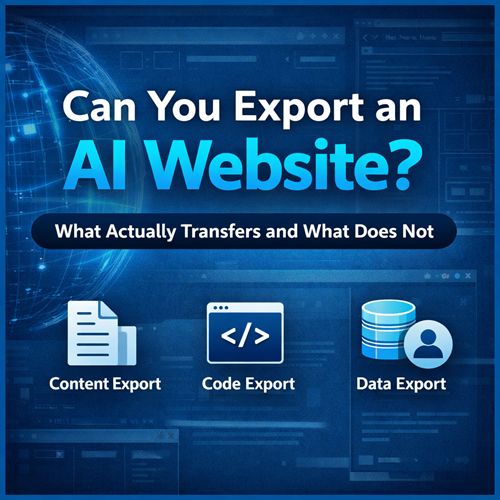
Four Different Types of “Export”
To understand what is realistic, separate export into four categories.
Domain Transfer
You can almost always transfer your domain name away from a builder. This does not move your website. It only moves your URL registration.
The domain and the site are separate things. Transferring a domain does not mean you have exported your website.
Content Export
Some builders allow you to export blog posts and basic pages. This typically means:
• Text content
• Some images
• Basic metadata like titles and categories
What usually does not transfer cleanly:
• Design layout
• Custom sections
• Advanced styling
• Platform-specific features
If your site is mostly articles, content export can be workable. If your site relies heavily on visual layouts or structured sections, expect to rebuild.
Code Export
A smaller subset of platforms allow you to export static front-end code. This usually means:
• HTML
• CSS
• JavaScript
However, dynamic systems such as CMS databases, ecommerce engines, booking tools, and memberships are often not included in a portable format.
Code export can work well for brochure-style websites. It becomes complicated for dynamic sites.
Data Export
Business data is separate from design. This may include:
• Customer lists
• Orders
• Form submissions
• Email subscribers
Some platforms allow exporting this data as CSV files. Others limit access or restrict it by plan level. If your site runs a store or membership system, this category matters as much as the design itself.
How AI Affects Exportability
The presence of AI does not fundamentally change export rules.
AI typically generates:
• Layout suggestions
• Text content
• Images
• Structural recommendations
Once generated, that content lives inside the platform’s infrastructure. The export limitations are determined by the builder architecture, not by the AI feature itself.
An AI-generated homepage is still bound by the same portability rules as a manually built homepage on that platform.
Why Most AI Builders Limit Full Export
There are structural reasons for this.
AI website builders usually bundle:
• Hosting
• CDN distribution
• Security
• Page rendering engines
• Integrated app ecosystems
Because the rendering system is proprietary, the builder is not just storing files. It is running an engine. Exporting that engine would mean replicating their infrastructure.
That is why most platforms prioritize content export rather than full system export.
When Export Is Relatively Easy
Export is more manageable when:
• Your site is primarily blog content
• You do not rely on complex dynamic features
• You are comfortable redesigning on the new platform
• You only need text and media files
In these cases, moving to WordPress or another CMS is typically achievable.
When Export Becomes a Rebuild
Export becomes closer to a full rebuild when:
• You rely on ecommerce
• You use booking or scheduling systems
• You have gated membership content
• You use proprietary widgets or animations
• Your layout depends heavily on platform-specific blocks
In those cases, migration is not a file transfer. It is a system migration.
Strategic Considerations Before Choosing a Builder
If export flexibility matters long-term, evaluate these questions before committing:
• Can I export blog content into another CMS format?
• Can I download my media library in bulk?
• Can I export customer and order data if I run a store?
• Does the platform support code export?
• What features will require rebuilding if I leave?
Portability should be treated as a feature, not an afterthought.
Convenience vs Control
AI website builders optimize for:
• Speed
• Simplicity
• Reduced technical complexity
• Integrated features
Portability is often secondary.
There is a trade-off between:
• Managed simplicity
• Long-term infrastructure control
Neither approach is universally better. It depends on whether your priority is rapid deployment or long-term ownership flexibility.
The Realistic Answer
Yes, you can export an AI website in some form.
No, you usually cannot export the entire system exactly as it exists and host it anywhere without compromise.
Most users end up exporting content and rebuilding structure. That is the practical migration path in many scenarios.
If long-term flexibility is critical, evaluate export capability before you build. If speed and convenience are more important, limited portability may be an acceptable trade-off.