GoDaddy AI Website Builder Review: Features, Pricing, and Real-World Testing
If you are evaluating automated site creation platforms, it helps to understand how these systems are structured before judging individual tools. For a foundational breakdown of how AI builders function and what evaluation criteria matter most, review AI Website Builder Guide: How It Works and What to Look For (https://ai.salesmarket.com/ai-website-builder-guide.html). With that framework in mind, this review examines GoDaddy’s AI builder through direct testing, focusing on setup quality, editing flexibility, SEO controls, and long-term usability.
GoDaddy positions its AI Website Builder as a fast, beginner-friendly solution integrated into its broader hosting and domain ecosystem. The core promise is speed and simplicity rather than deep creative control. The real question is whether that trade-off makes sense for small business owners.
How the AI Setup Process Works
Initial Business Input and Site Generation
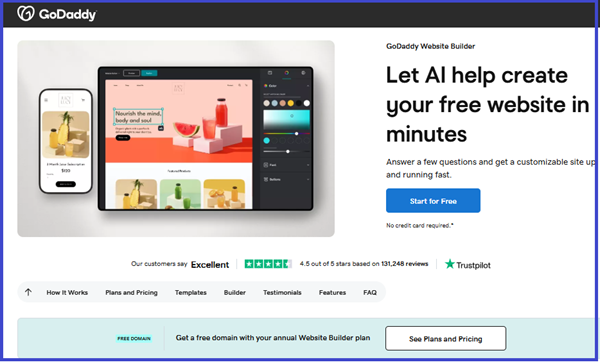
The onboarding flow begins with a short series of structured questions. You select your business category, enter your company name, and define your goals. Within minutes, the system generates a multi-section homepage with navigation, service areas, and contact prompts already in place.
The AI does not overwhelm users with complex design decisions. Instead, it prioritizes clarity and fast deployment. The generated layout feels professionally structured, though somewhat standardized.
• The AI automatically builds a homepage with a hero section, services overview, about content, and contact call-to-action.
• It selects imagery and color themes based on industry classification and brand inputs.
• It generates pre-filled copy that is grammatically sound but often generic in tone.
The result is polished enough to publish quickly, but it typically requires manual refinement to feel unique.
Design Flexibility and Editing Experience
Template Structure vs Creative Control
After generation, you enter the visual editor. The editing interface is streamlined and intentionally simplified. This reduces technical friction but limits creative flexibility compared to more advanced builders.
You can adjust text, replace images, reorganize sections, and update theme styles. However, you cannot freely drag and position elements at a granular level.
• Layouts are based on predefined blocks rather than full drag-and-drop freedom.
• Typography and spacing options are controlled through theme presets rather than custom CSS-level settings.
• Structural changes are possible, but they must stay within the framework provided by the template system.
For beginners, this constraint creates stability. For designers or agencies, it may feel restrictive.
Content Generation Quality
AI Copy Depth and Usability
The AI-generated content provides a usable starting framework. Headlines are structured correctly, service descriptions are clear, and calls to action are positioned logically. However, the language tends to follow predictable industry phrasing.
During testing, the generated copy rarely included strong differentiation or distinctive brand voice. It works as a draft foundation rather than finished messaging.
• Service descriptions are structurally complete but often lack specificity.
• Headlines are functional yet typically generic.
• Calls to action are simple and conversion-oriented without nuanced persuasion.
If you treat the AI output as scaffolding rather than final content, it performs adequately.
SEO Capabilities and Optimization Controls
Built-In Guidance vs Advanced Technical Control
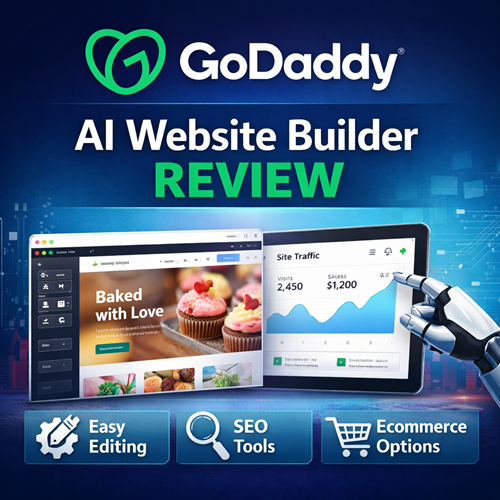
GoDaddy includes guided SEO tools within its dashboard. These tools focus on helping beginners complete basic optimization steps rather than offering deep technical configuration.
You can customize page titles, meta descriptions, and some structural elements. However, advanced schema markup, granular performance tuning, and detailed technical SEO configurations are limited.
• The system allows manual editing of meta titles and descriptions for each page.
• It includes guided prompts that encourage keyword usage in headings and content.
• Mobile responsiveness is handled automatically without user configuration.
For local businesses targeting moderate competition, this feature set may be sufficient. For highly competitive niches, it may lack depth.
Ecommerce and Business Functionality
Integrated Sales and Appointment Tools
GoDaddy integrates ecommerce features directly into higher-tier plans. This allows small businesses to sell products, accept payments, or manage bookings from the same dashboard.
The ecommerce environment is designed for simplicity rather than scale. It supports small catalogs and service-based businesses effectively but is not optimized for enterprise-level inventory management.
• Product listings are easy to create and modify within the visual interface.
• Payment processing integrates with major providers for straightforward transactions.
• Booking and appointment features are available on relevant subscription tiers.
For small operators, this integrated structure reduces complexity significantly.
Performance and Ecosystem Integration
Hosting, Domains, and Security
One of GoDaddy’s core advantages is ecosystem integration. Domains, hosting, SSL certificates, and email services are managed within the same account environment.
This reduces configuration errors and eliminates the need for external hosting connections. It also simplifies billing and administrative oversight.
• Hosting is automatically provisioned when publishing the site.
• SSL certificates are included in paid plans for secure browsing.
• The system is optimized for stability rather than advanced performance customization.
For users already within the GoDaddy ecosystem, this consolidation creates operational efficiency.
Pricing Structure and Plan Tiers
| Plan | Monthly Price (Approx.) | Includes |
|---|---|---|
| Free | $0 | You can create a site using the AI builder with basic design and content, but you cannot connect your own domain or accept payments. (GoDaddy) |
| Basic | ~$10.99 / mo (first year annual) | • Custom domain connection. • Mobile-friendly site and SSL. • Analytics & basic marketing tools. • Email marketing & social. (Capterra) |
| Standard | ~$11.99 / mo | • Built-in SEO tools. • Social post scheduling & responses. • Limited email marketing sends. (Capterra) |
| Premium | ~$14.99 / mo | • Unlimited social posts. • More email marketing capacity. • Appointment scheduling. (Capterra) |
| Ecommerce/Commerce | ~$20.99 / mo | • Product listings & online store tools. • Flexible payment processing and shipping. • Promotions & discount tools. (Capterra) |
Subscription Model and Feature Scaling
GoDaddy AI Website Builder operates on a tiered subscription model. Entry-level plans focus on informational websites, while higher tiers unlock ecommerce and advanced marketing tools.
Pricing is transparent and predictable. However, total costs increase as additional business features are activated.
• Basic plans support standard brochure-style websites.
• Mid-tier plans introduce marketing tools and analytics.
• Higher-tier plans enable ecommerce functionality and booking systems.
This structure allows gradual scaling without immediate high upfront cost.
Who GoDaddy AI Website Builder Is Best For
GoDaddy AI Website Builder is clearly optimized for small business owners launching their first website. It prioritizes ease of use and ecosystem simplicity over design experimentation.
It is not designed for developers seeking custom code control or designers pursuing unique visual structures. Instead, it serves entrepreneurs who value speed and minimal learning curve.
• It is well suited for local service providers needing a fast online presence.
• It works effectively for entrepreneurs already using GoDaddy for domains or email.
• It is less appropriate for high-design brands or complex content-driven platforms.
If your primary goal is launching quickly with minimal technical overhead, it fulfills that objective well.
Final Verdict
GoDaddy AI Website Builder delivers a streamlined website creation experience focused on speed and accessibility. Its AI system produces structured layouts quickly, but customization depth is intentionally limited.
For small businesses and first-time site owners, that limitation can actually be a strength. For advanced users, the constraints may outweigh the convenience. Overall, it performs consistently within its intended use case.