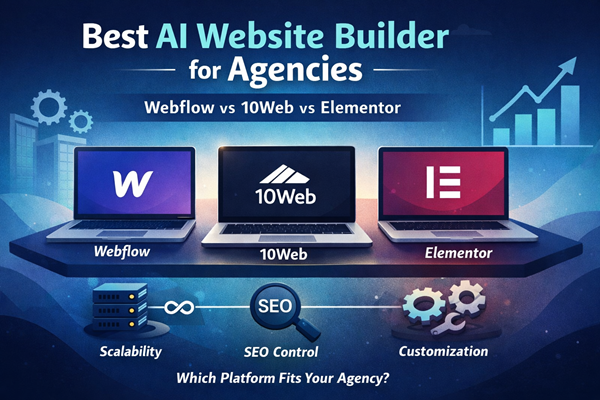
Best AI Website Builder for Agencies: Webflow vs 10Web vs Elementor
If you are shortlisting platforms for your agency, you are past curiosity. You are evaluating long-term scalability, SEO control, and operational stability. The wrong decision compounds costs. The right one compounds leverage.
This website builder comparison focuses on three serious contenders: Webflow, 10Web, and Elementor. All three can build professional client sites. Only one will likely fit your agency model long term.
We will prioritize scalability and SEO architecture over surface-level features.
Overview of the Platforms
At a high level, these tools operate on different infrastructure philosophies. That difference drives everything else.
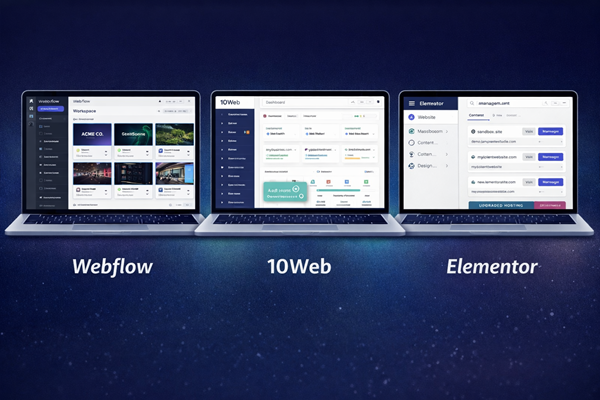
Webflow is a hosted visual development platform. Hosting, CMS, and infrastructure are bundled.
10Web is managed WordPress with AI generation layered on top.
Elementor is a WordPress builder plugin that runs on your chosen hosting stack.
Key structural differences:
• Webflow = proprietary hosted ecosystem
• 10Web = managed WordPress environment
• Elementor = WordPress plugin requiring external hosting
Takeaway: Your hosting model determines your scalability ceiling before design features ever matter.
Core Differences at a Glance
Here is a structured comparison based on agency priorities.
| Category | Webflow | 10Web | Elementor |
|---|---|---|---|
| Hosting Model | Fully hosted | Managed WordPress (Google Cloud) | Self-hosted WordPress |
| Multi-Site Control | Workspace-based | Centralized dashboard | Hosting-dependent |
| SEO Structure | Clean, semantic output | WordPress SEO plugins | WordPress SEO plugins |
| Customization Depth | High (visual + code embeds) | Very high (full WP ecosystem) | High (builder-based) |
| Ecommerce | Native ecommerce | WooCommerce | WooCommerce |
| Platform Lock-In | High | Low (WordPress exportable) | Low (WordPress) |
| Typical Annual Range (per site) | ~$14–$40+ | ~$10–$45+ | ~$5–$15+ (hosting separate) |
Takeaway: Webflow offers structural simplicity. WordPress-based options offer deeper extensibility.
Scalability: Infrastructure First
Scalability is not about adding pages. It is about performance, team control, and growth without rebuilds.
Webflow scales cleanly because hosting and CMS are unified. As traffic grows, you upgrade plan tiers. There is no plugin maintenance risk.
Strengths:
• Predictable performance
• Controlled infrastructure
• Clear upgrade path
• Minimal maintenance overhead
Limitations:
• Costs multiply per site
• CMS and bandwidth tied to plan limits
10Web scales through managed WordPress infrastructure. You gain WordPress flexibility but maintain plugin responsibility.
Strengths:
• Multi-site dashboard
• AI site generation for faster deployment
• Google Cloud managed hosting
• Easier cloning and staging
Limitations:
• Plugin conflicts remain possible
• Performance depends on configuration
Elementor scalability depends heavily on your hosting environment. The builder itself scales well, but infrastructure is your responsibility.
Strengths:
• Flexible hosting choices
• Can scale with strong server setup
• Unlimited customization potential
Limitations:
• No centralized multi-site dashboard by default
• Requires active maintenance discipline
Takeaway: Webflow offers the cleanest scaling model. WordPress options offer greater flexibility but require operational oversight.
SEO Architecture and Control
SEO is not just meta tags. It is URL structure, content modeling, schema control, and performance stability.
Webflow generates clean HTML and gives strong visual control over structured content. Its CMS is structured, which helps content-driven agencies.
Strengths:
• Clean semantic output
• Structured CMS collections
• Built-in performance optimization
Limitations:
• Advanced SEO customizations may require workarounds
• No plugin ecosystem depth
10Web inherits the full WordPress SEO ecosystem. You can deploy advanced schema tools, content optimization plugins, and custom logic.
Strengths:
• Full access to SEO plugins
• Deep technical SEO flexibility
• Strong blogging foundation
Limitations:
• SEO quality depends on plugin discipline
• Poor configuration can hurt performance
Elementor also benefits from WordPress SEO tools. However, heavy builder usage can impact performance if not optimized.
Strengths:
• Full plugin support
• Flexible content structures
• Strong WooCommerce SEO compatibility
Limitations:
• Requires optimization discipline
• Performance tuning often needed
Takeaway: WordPress offers the deepest SEO customization. Webflow offers cleaner baseline structure with less technical overhead.
Client Flexibility and Handoff
Agencies need structured control without client chaos.
Webflow provides Editor mode. Clients can edit content but cannot easily break layout.
Pros:
• Safe editing environment
• Role-based permissions
• Reduced design breakage risk
Cons:
• Clients must stay inside Webflow
• Platform lock-in is real
10Web gives clients full WordPress access if desired. That increases flexibility and risk.
Pros:
• Full ownership transfer
• Plugin freedom
• Ecommerce extensibility
Cons:
• Clients can disrupt structure
• Ongoing maintenance required
Elementor gives intuitive drag-and-drop control. With proper template discipline, it can be client-friendly.
Pros:
• Familiar editing experience
• Flexible layout control
• Portable WordPress foundation
Cons:
• Without restrictions, layouts can be broken
• Requires structured setup
Takeaway: Webflow offers the safest client environment. WordPress tools require process discipline.
Customization Depth
Customization determines how far you can push client demands.
Webflow allows deep visual control and custom code embeds. It is strong for marketing sites and SaaS front-ends.
However, backend logic and advanced system-level integrations are limited compared to WordPress.
10Web, being WordPress-based, has virtually no ceiling. Custom themes, PHP logic, plugins, ecommerce extensions, and membership systems are all possible.
Elementor also offers high customization, especially with Pro features and custom CSS. But it remains builder-centric.
Takeaway: WordPress-based systems offer maximum flexibility. Webflow offers high design control but lower backend extensibility.
Pricing Model Overview
Pricing should be viewed as infrastructure cost, not just subscription cost.
Webflow:
• Typically ~$14–$40+ per site annually (higher for ecommerce tiers)
• Hosting included
• Costs scale per site
10Web:
• Roughly ~$10–$45+ per site depending on traffic
• Hosting included
• Agency plans bundle multi-site management
Elementor:
• ~$5–$15+ per site license annually
• Hosting separate
• Total cost depends on hosting stack
Takeaway: Elementor appears cheapest at license level but requires separate hosting investment. Webflow is most predictable. 10Web sits between managed and flexible.
Fit-Based Recommendations
Choose Webflow if:
• You prioritize structured scalability
• You build marketing-heavy or SaaS-focused sites
• You want predictable infrastructure
• You prefer reduced maintenance overhead
Choose 10Web if:
• You want WordPress flexibility with managed hosting
• You run multiple client sites
• You need plugin-level extensibility
• You offer ecommerce or advanced integrations
Choose Elementor if:
• You already operate in WordPress
• You manage your own hosting stack
• You want maximum customization control
• You are comfortable maintaining plugins and updates
Final Takeaway:
If your agency model values control and predictable scaling, Webflow is the cleanest path. If your model depends on extensibility and ecosystem depth, WordPress-based solutions win. The real decision is not builder preference. It is infrastructure philosophy.