How to Build a Simple HTML Website Using Gemini AI Prompts
The video walks through a structured way to generate a static HTML website using three prompts inside Google’s Gemini model. Instead of using WordPress or a traditional site builder, the process relies on prompt engineering and manual file setup. The result is a lightweight multi-page website that can be hosted cheaply.
Below is a breakdown of how it works and what to expect if you try it yourself.
What This Tool Does
In the video, Gemini is used to:
- Ask structured discovery questions about the business
- Generate full HTML5 code for multiple website pages
- Create styling and layout automatically
- Produce files ready to upload to a hosting provider
The output is a static HTML website. That means:
- No CMS
- No database
- No plugins
- Just HTML files
This approach focuses on simplicity and speed rather than advanced backend functionality.
How It Works
The workflow revolves around three structured prompts.
Prompt 1: Discovery Questions
The first prompt resets Gemini’s prior context and triggers seven structured questions. These questions cover:
- Primary purpose of the website
- Main services
- Emotional tone and design direction
- Unique selling points
- Site structure
- Call-to-action details
- Service area
The answers determine layout, structure, and messaging.
The video notes that the questions may vary slightly each time, but they converge into a usable structure.
Prompt 2: Site Structure Customization
The second prompt is where personalization happens.
Before submitting it, the user edits:
- Phone number
- Email address
- Team name
- Physical address
- Number of HTML files
For example, the default structure includes:
- index.html
- about.html
- pricing.html
- contact.html
But you can expand it to five or more pages by adjusting the instruction.
Once submitted, Gemini generates all corresponding HTML code blocks.
Prompt 3: Contact Form Integration
The third prompt connects the site to a form handling service called Web3Forms.
The process involves:
- Creating a free Web3Forms account
- Generating an access key
- Inserting that key into the prompt
- Regenerating the HTML
The free plan allows up to 250 monthly submissions.
That’s enough for small local businesses but may not scale beyond that without upgrading.
Generating and Saving the Website Files
After Gemini outputs the HTML code:
- Create a folder on your desktop.
- Open Notepad (or similar editor).
- Paste each HTML block into separate files.
- Save as:
- index.html
- about.html
- pricing.html
- etc.
- Set file type to “All Files” when saving.
Opening index.html in a browser displays the full site locally.
Edits are handled by:
- Asking Gemini to modify sections
- Replacing the file contents
- Refreshing the browser
This is a manual workflow — but it’s straightforward.
Hosting the Website
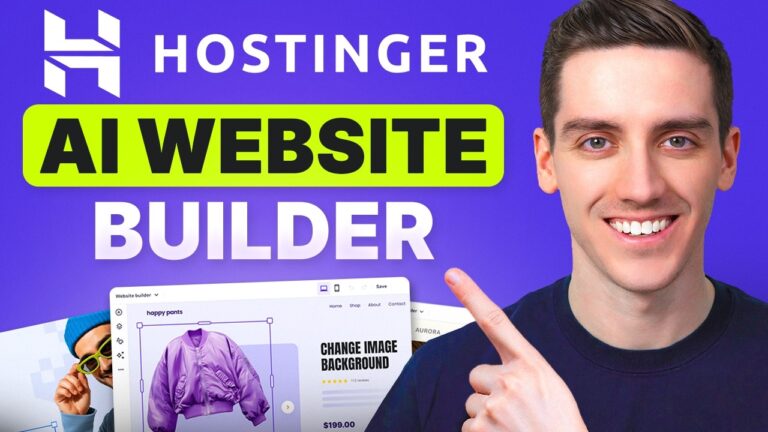
To publish the site, the video demonstrates uploading the files to Hostinger.
[Affiliate disclosure goes here if applicable.]
The steps include:
- Purchasing a basic shared hosting plan
- Registering a domain
- Accessing File Manager
- Deleting default files
- Uploading the HTML files into public_html
Once uploaded, the site becomes live.
Because it’s static HTML:
- No server-side processing
- No CMS vulnerabilities
- Minimal resource usage
The presenter claims this makes the site harder to hack, though “cannot be hacked” is a strong statement. Static sites do reduce attack surfaces, but hosting accounts themselves can still be compromised if not secured properly.
Key Points from the Video
- The entire workflow can be completed in under 30 minutes.
- Gemini generates full multi-page HTML5 output.
- The site works without WordPress or plugins.
- Forms are handled via Web3Forms.
- Hosting can be done cheaply with shared hosting.
- The result is mobile responsive.
- Editing is done by re-prompting Gemini and replacing files.
The presenter acknowledges the site is relatively simple in design but expandable with additional prompting.
Who This Tool Is Best For
- Local service businesses needing a basic presence
- Freelancers who want a fast brochure-style site
- Beginners learning HTML fundamentals
- People who want to avoid CMS complexity
- Anyone testing an idea quickly
If your goal is speed and minimal setup, this method makes sense.
Who This Tool Is Not Ideal For
- E-commerce stores
- Membership sites
- Blogs requiring frequent updates
- Businesses needing backend dashboards
- Users uncomfortable editing files manually
Because there’s no CMS, content updates require modifying HTML files directly.
If you expect frequent changes or content publishing, this workflow may become inefficient.
My Take After Testing
I tried this exact approach and got just what I asked for!