Hostinger AI Website Builder Review: Is It Worth Using for Your Website?
What This Tool Does
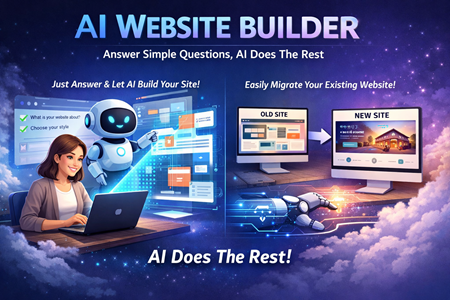
The Hostinger AI Website Builder is designed to generate full websites using simple prompts. Instead of building layouts manually or configuring hosting settings, you describe your project and the system produces a ready-to-edit site.
It handles:
- Page structure
- Design layout
- Mobile responsiveness
- Basic SEO setup
- Hosting configuration
The idea is to reduce the time and complexity involved in launching a website, especially for beginners or small business owners.
How It Works
The workflow is simple.
You enter a business name and short description. The builder generates a complete layout within seconds. From there, you can:
- Edit text and images
- Change colors and styling
- Adjust sections with drag-and-drop tools
- Publish directly from the dashboard
It’s not a fully automated system that locks you out of changes. Instead, it acts as an assistant that builds a foundation, which you then refine.
In practice, you can generate a functional site in just a few clicks. For small projects like portfolios or landing pages, that’s often enough to go live quickly after minor edits.
Key Points from the Video
1. Speed of Setup
One of the biggest strengths is how quickly a site can be generated.
You enter a prompt, click generate, and the design appears. Within minutes, you can have:
- A homepage
- Service sections
- Contact forms
- Mobile-ready layout
For small projects, this drastically reduces setup time.
2. Comparison to Wix AI
When compared to Wix, the difference comes down to complexity versus simplicity.
Wix offers deeper customization, but that flexibility can feel overwhelming for beginners. Hostinger’s builder keeps things streamlined, which makes it easier to launch quickly.
Design-wise, Hostinger’s AI-generated layouts often feel modern and structured without requiring heavy tweaking.
3. Built-In AI Tools
Beyond layout generation, the platform includes several AI-powered tools:
- AI Writer for page content
- Product description generator
- AI SEO assistant
- Text rewriting tools
The product description generator is particularly useful for small online stores. Writing sales copy can be time-consuming, and the AI provides a strong starting point that you can refine.
The SEO assistant simplifies on-page optimization. It won’t replace advanced SEO tools, but it helps beginners cover the basics quickly.
4. Hosting & Performance
Unlike standalone builders that require separate hosting setup, Hostinger integrates everything.
You get:
- Built-in hosting
- Caching management
- Page speed tools
- WordPress optimization (if you use WordPress hosting)
This makes it a practical option for users who want one dashboard for everything.
5. Support & AI Chat
One standout feature is the built-in AI support assistant. It responds quickly and provides relevant guidance. If the AI support can’t resolve the issue, human support is available.
This combination lowers the barrier for users who are new to website management.
Pros & Cons
Pros
- Very fast website generation
- Beginner-friendly interface
- Mobile optimization included
- Built-in SEO assistant
- Integrated hosting and management tools
- Strong value for small projects
Cons
- AI-generated text can feel generic without editing
- Limited advanced analytics
- No large third-party app marketplace
- 500 product limit for e-commerce
- Not ideal for rapidly scaling online stores
For simple business sites or portfolios, these limitations may not matter. For large e-commerce operations, they might.
Who This Tool Is Best For
- Beginners with no coding experience
- Small business owners launching their first site
- Freelancers building portfolio websites
- Users who want quick deployment without complex setup
- Projects that don’t require advanced integrations
Who This Tool Is Not Ideal For
- Large-scale e-commerce stores
- Developers who want deep customization
- Businesses needing advanced analytics tools
- Projects requiring extensive third-party integrations
If you plan to grow into a complex online store quickly, you may outgrow this platform.