Notion in 2026: The All-in-One Workspace That Refuses to Be Boxed In

If you’ve spent any time around productivity tools in the last few years, you’ve almost certainly run into Notion. Sometimes it’s recommended as a note-taking app. Other times it’s pitched as a project manager, a personal wiki, a database tool, or even a lightweight operating system for your business.
That wide range of descriptions is not confusion — it’s the point.
Notion is one of the few mainstream tools that refuses to sit neatly in a single category. And that flexibility is exactly why some people swear by it… and others bounce off it hard.
This article is a practical, no-hype look at Notion today: what it is, how it works, where it shines, where it struggles, and who it’s actually best for in 2026.
What Is Notion, Really?
At its core, Notion is a modular workspace.
Instead of locking you into a specific structure (like folders for notes, boards for projects, or lists for tasks), Notion gives you a set of building blocks:
- Pages
- Text blocks
- Databases
- Views (tables, boards, calendars, timelines)
- Relations and formulas
From those pieces, you build whatever system you want.
That’s why one person uses Notion as a simple notebook, while another runs an entire business inside it.
Notion doesn’t tell you how to organize your work — it gives you the tools and lets you decide.
The Philosophy Behind Notion
Most productivity tools are opinionated. They assume:
- Tasks should live in lists
- Notes should live in folders
- Projects should live in boards
Notion takes a different stance: everything is a page, and pages can contain anything — including other pages.
This design leads to a few defining traits:
- Flat but flexible structure: You can nest deeply or keep things shallow.
- Context-first organization: Tasks can live inside projects, notes, or dashboards instead of being forced into a single task app.
- System thinking: Notion rewards people who enjoy designing workflows rather than just following them.
This is both its greatest strength and its biggest barrier.
Core Features Explained (Without Marketing Fluff)
Pages and Blocks
Everything in Notion is made of blocks: text, headings, images, embeds, checklists, code, quotes, and more.
This gives you:
- Clean formatting
- Easy rearranging via drag-and-drop
- The ability to mix content types freely
For writers and thinkers, this feels natural. For people who just want a fast note field, it can feel like extra friction.
Databases: The Engine Under the Hood
Databases are where Notion becomes powerful.
A database in Notion is not just a spreadsheet. It’s a structured collection of items (pages) with properties like:
- Text
- Select / multi-select
- Dates
- Checkboxes
- Numbers
- Relations to other databases
- Formulas
Each database can be viewed in multiple ways:
- Table
- Kanban board
- Calendar
- Timeline
- Gallery
- List
The same data, different perspectives.
This is how people build:
- Editorial calendars
- Content pipelines
- CRM systems
- Knowledge bases
- Product roadmaps
- Personal life trackers
Views and Dashboards
Dashboards are not a separate feature — they’re just pages that pull in views of databases.
This lets you create:
- A daily command center
- A business overview page
- A personal life hub
- A team operations dashboard
The magic is that dashboards don’t duplicate data. They surface it.
Collaboration and Team Use
Notion works well for teams because:
- Pages can be shared with granular permissions
- Comments and mentions are built in
- Real-time editing feels smooth
- Wikis and documentation stay close to actual work
Many teams replace a combination of tools (docs + wiki + task board) with a single Notion workspace.
That said, it’s not a perfect real-time task execution tool. Teams that need strict workflows, dependencies, and automation may still layer other tools on top.
Notion AI: Helpful, Not Magical
Notion’s AI features are deeply embedded rather than bolted on.
Common uses include:
- Drafting content inside pages
- Summarizing long notes or meetings
- Rewriting text with different tones
- Extracting action items
- Answering questions across a workspace
It’s best understood as a context-aware assistant, not a replacement for thinking or planning.
Where it works well:
- First drafts
- Summaries
- Cleanup and reformatting
- Knowledge retrieval
Where it doesn’t:
- Deep strategy
- Complex reasoning
- Original system design
Used correctly, it saves time. Used lazily, it produces forgettable content.
Common Use Cases (And Who They’re For)
Personal Knowledge Management
Notion is popular with people who:
- Take lots of notes
- Connect ideas across topics
- Maintain personal wikis
- Track learning over time
It’s less ideal if you want:
- Instant capture
- Zero setup
- Minimal structure
Content Creation
Creators use Notion to manage:
- Editorial calendars
- Research notes
- Draft pipelines
- Publishing checklists
Because content, tasks, and metadata live together, it’s easier to stay oriented than in scattered tools.
Small Businesses and Solopreneurs
Notion shines for:
- Lightweight CRM
- SOPs and documentation
- Client tracking
- Project planning
- Internal knowledge bases
It struggles when:
- Processes need strict enforcement
- Automation is mission-critical
- Data volume grows very large
Teams and Startups
Startups love Notion because it:
- Scales gradually
- Adapts as the company evolves
- Reduces tool sprawl early on
Larger organizations may outgrow it or combine it with more specialized systems.
Where Notion Falls Short
No honest review is complete without the downsides.
1. Setup Cost (Mental, Not Financial)
Notion asks you to design your own system. That’s empowering — and exhausting.
People who want structure handed to them often feel lost.
Templates help, but they’re not magic.
2. Performance at Scale
Very large databases and heavily nested pages can:
- Load slowly
- Feel laggy
- Become harder to maintain
For most individuals and small teams, this isn’t a dealbreaker. For data-heavy operations, it can be.
3. Offline Limitations
Offline support exists but remains limited compared to some competitors.
If you need rock-solid offline access, Notion may frustrate you.
4. Not a True “Do It All” Tool
Despite the hype, Notion does not fully replace:
- Dedicated task managers for complex workflows
- Advanced spreadsheets
- Automation-heavy systems
- High-speed capture apps
It replaces many tools — just not all of them.
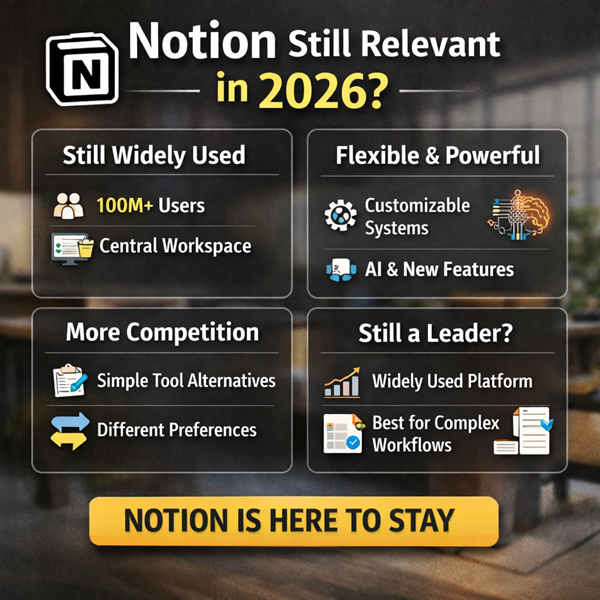
Is Notion Still Relevant in 2026?
Yes — but not because it’s trendy.
Notion’s relevance comes from:
- A massive, active user base
- Ongoing development
- A strong ecosystem of templates, educators, and consultants
- Its position as a “workspace layer” rather than a single-purpose app
Some users move on because they want less flexibility, not because Notion stopped working.
That’s an important distinction.
Who Should Use Notion (And Who Probably Shouldn’t)
Notion Is a Great Fit If You:
- Enjoy designing systems
- Like connecting information
- Manage projects, content, or knowledge
- Want fewer tools, not more
- Are comfortable iterating over time
You May Want Alternatives If You:
- Want zero setup
- Need strict task enforcement
- Require advanced automation
- Primarily work offline
- Prefer opinionated workflows
Practical Advice Before You Start
If you’re new to Notion, avoid the most common mistake: overbuilding early.
Start with:
- One or two simple databases
- A basic dashboard
- Real usage for a few weeks
Let friction show you what to fix.
Notion rewards gradual refinement, not perfection on day one.
Final Verdict: Tool, Platform, or Operating System?
Notion is best understood as a personal and organizational workspace platform but with business and team productivity
It’s not a silver bullet.
It’s not a fad.
And it’s definitely not a has-been.
It’s a flexible environment that adapts to how you think and work — if you’re willing to meet it halfway.
Used thoughtfully, it can replace clutter with clarity.
Used carelessly, it becomes just another empty dashboard.
The difference isn’t the tool.
It’s the system you build with it.
Related Post: Notion in 2026